Published on 8/4/2026
How to Create a QR Code: The Four Decisions That Matter
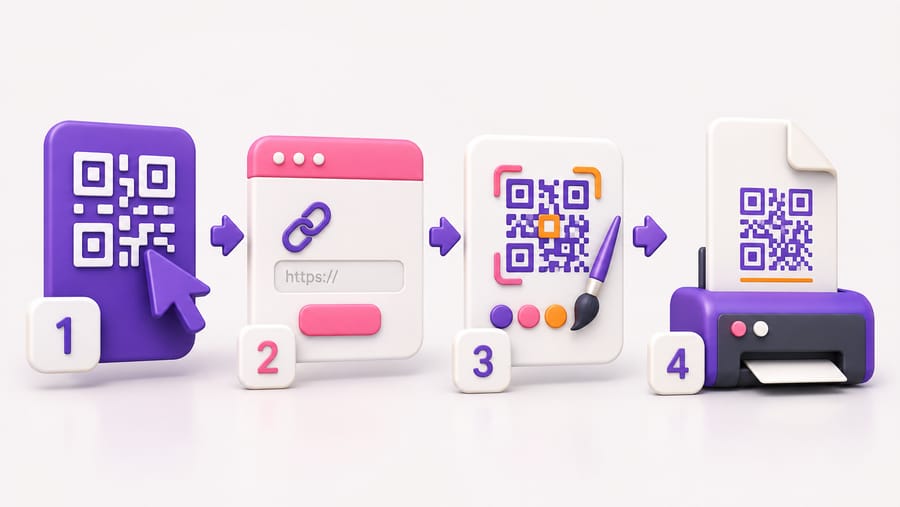
Every guide to making a QR code spends its time on the easy part. Typing a URL into a generator takes ten seconds and no article is needed for it. What actually decides whether your code succeeds is four choices made around that moment, and three of them are irreversible once something is printed.
Decision 1: static or dynamic
This is the one that cannot be undone, so make it first.
A static code holds the data itself. The URL is physically encoded in the pattern. Nothing sits in between, so nothing can break or be switched off — and nothing can be changed. When the destination dies, the code is waste paper.
A dynamic code holds a short link, and a service decides where that link goes. You can change the destination after printing, and you can count the scans. The cost is a dependency: the redirect has to keep working.
The rule is simple. If the code will be printed on more than a handful of things, or on anything you cannot cheaply reprint, make it dynamic. Menus, packaging, signage, vehicle livery, business cards. Static is fine for a code you will use once and throw away, and for Wi-Fi credentials you genuinely never intend to change.
Decision 2: which type of code
"QR code" is a container. What you put in it changes what happens when someone scans:
- A link — the workhorse. Anything with a web page behind it.
- A contact card — saves name, phone, email and address straight into the phone's contacts.
- Wi-Fi — shares network access without dictating a password out loud.
- A menu — a page built for phones rather than a PDF someone has to pinch and zoom.
- A calendar event — one tap to put a date in the diary.
- A phone number, an email, an SMS, a WhatsApp chat — starts the conversation with the message already drafted.
- A map location, an app-store link, a social links page, a product code — each with its own behaviour.
The common mistake is using a link code for something a dedicated type does better. Encoding a phone number as a link to a page that shows the number, when a phone-number code dials it directly, adds a step for no reason.
Decision 3: how big it will be printed
The working rule is roughly a tenth of the reading distance. A code read at 30 cm wants about 3 cm across; one on a wall read from three metres wants about 30 cm. This is where most printed codes fail, because a 2 cm code looks perfectly adequate on a screen and is unreadable on a poster.
Two adjustments. Outdoors and in dim light, go bigger — a phone in poor light cannot resolve fine detail. And keep the white border: the quiet zone around the pattern is part of the code, and cropping tight to the modules is the single most common design error.
Decision 4: what it points at
A code is only as good as the page behind it, and the page will be opened by someone standing up, on mobile data, possibly in a hurry.
- Mobile first, not mobile-friendly. If the destination needs zooming, you have lost people who were mildly curious.
- One obvious action. The scan was a specific question. Answer that question above the fold rather than landing on a homepage.
- No PDF unless the document is the point. A PDF menu is a bad phone experience; a PDF manual is exactly right.
- A domain people recognise. A short link on a domain nobody has heard of is indistinguishable from a scam, and people have learned to be careful.
Then, the mechanical part
- Pick the type and enter the content. For a link, the destination URL; for Wi-Fi, the network name and password; and so on.
- Design it if you want to. Colours, module shapes, a centre logo, a frame with a call to action. Two constraints: keep real contrast between the dark modules and the background — cameras read brightness, not hue — and if you add a logo, raise error correction to H so the code can survive the modules it covers.
- Export the right format. SVG or PDF for anything printed, PNG only for screens. A PNG enlarged past its resolution gives soft, ragged modules that fail on cheap cameras.
- Test the printed proof, not the file. Two phones, one of them not new, at the real distance, in the real lighting. Five minutes, and it catches nearly everything.
What "free" usually means
Static codes are free everywhere and always will be — there is no service to pay for. Free dynamic codes are where the terms matter: several generators issue them on a trial and then park the link on an upsell page, which looks exactly like your printed code breaking.
Before printing anything in quantity, find the answer to one question in the vendor's terms: what happens to my codes when the trial ends or I cancel? On our free plan codes do not expire; there is a monthly scan allowance across the account, and the dashboard warns you before you reach it.
Quick answers
- Do I need an app to create a QR code? No. It happens in a browser.
- Is a static or dynamic code better? Dynamic for anything printed in quantity, static for throwaway use. The choice cannot be reversed after printing.
- What size should the code be? About a tenth of the distance it is read from, plus a clear white border.
- Can I put my logo in it? Yes, with error correction at H and the logo small and away from the three corner squares.
- Which file format for printing? SVG or PDF. Never an enlarged PNG.
- Do I have to pay? Not for static codes, ever. For dynamic ones, check the vendor's expiry terms before you print.