Published on 8/4/2026
QR Code for Instagram: Profile, or All Your Links?
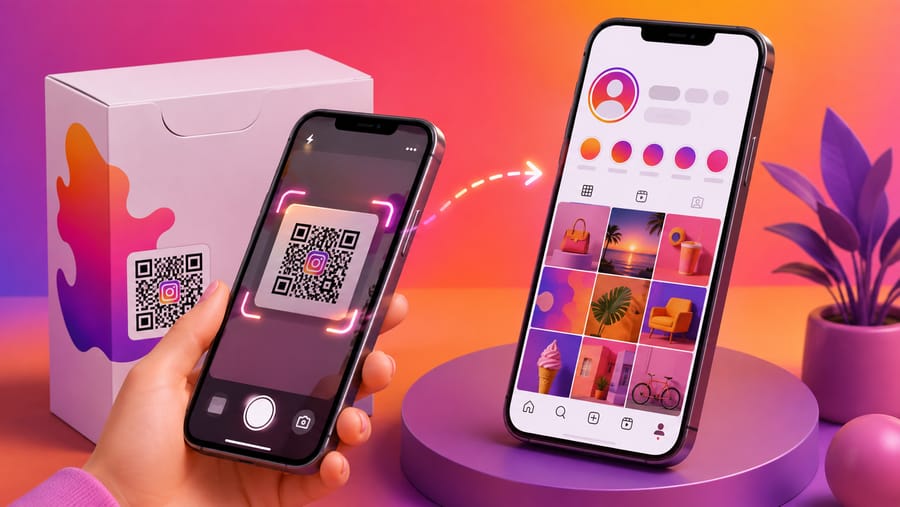
"A QR code for Instagram" turns out to mean two different things, and picking the wrong one is why so many printed codes underperform:
- Open my Instagram profile. One destination, one platform.
- Open a page with all my links — Instagram, TikTok, YouTube, the shop, the booking form.
Both are easy. Which one you want depends on whether the person scanning already knows what they are looking for.
First: Instagram's own QR code, and its limits
Instagram has a built-in profile code in the app. It works, it is free, and for a one-off — a screen at an event, a story — it is perfectly fine.
What it cannot do:
- It cannot be measured. You will never know whether the poster or the packaging produced the follows.
- It cannot be changed. It is welded to that account. Rebrand, change handle, or move the focus to a different platform, and everything printed is stale.
- It only goes to Instagram. If half your audience would rather be on TikTok, that half is not served.
- It cannot be designed beyond what the app offers, which is usually a poor fit next to your own artwork.
If the code is going on something printed in quantity, or on anything you will still be using in a year, those four limits are the whole argument for making your own.
When a plain profile code is right
Use a single-destination code pointing at instagram.com/yourhandle when the context already explains itself: a sign that says "follow us for daily specials", a photographer's print, a market stall. One decision, one destination, no menu to read.
A practical note: on a phone with the app installed, an instagram.com link normally hands off to the app rather than the mobile site. Normally — not always, and not in every in-app browser. Do not build anything that depends on the app opening; the profile page works either way.
When you want a links page instead
The moment there is more than one plausible next step, a single destination starts costing you. A links page fixes that: the scanner lands on a short page and chooses.
Our social-links code type produces a deliberately plain page — a title and a stack of labelled buttons, in the order you set. No avatars, no themes, no feed embeds. That is the trade-off: it is faster and more legible than a full link-in-bio product, and it is not one. If you need a designed profile page with a bio, a photo and analytics per click, use a tool built for that and point a code at it.
Two rules make a links page work:
- Order by what you actually want. If the goal is bookings, the booking button goes first and Instagram goes fourth. Most people list platforms by habit and bury the thing that earns money.
- Label by outcome, not by brand. "Book a table" beats "Website". "See today's menu" beats "Menu". The label is the call to action.
Keep it to four or five buttons. A links page with eleven options is a decision you have handed back to the customer.
Where these codes belong
- Shop window and counter. The classic, and it works because the intent is already there.
- Packaging inserts. The moment after a purchase is the best moment to ask for a follow.
- Event stands and market stalls. People will not type a handle standing in a crowd.
- The back of a business card. Especially for creative work, where the portfolio is the pitch.
- Vehicles and site hoardings. A parked van gets scanned; a handle painted on it gets forgotten.
Where they do not work: inside your own Instagram posts and stories. Nobody can scan the screen they are holding. A code in a story only functions when someone views it on a second device, which is rare enough that you should assume it will not happen — use a link sticker instead.
What a dynamic code adds
- Change the handle after a rename without reprinting.
- Change the platform when your audience moves — the same printed code can point at TikTok next year.
- Switch profile to links page and back as your needs change, on the same printed pattern.
- Compare placements. Give the window, the packaging and the market stall their own codes and you find out which one actually produces scans instead of guessing.
- Route by language. If you run regional accounts, redirect rules can send scanners to the account in their own browser language.
Be realistic about what you can measure
You will see scans: how many, when, on what device, from what referrer, and unique visitors from a hashed IP. That answers "did this placement work".
You will not see follows. Once the visitor is handed to Instagram, the platform owns the story and tells us nothing. Anyone promising follow attribution from a QR code is describing something a QR code cannot do. Compare scans against your own follower graph over the same period and accept it as correlation.
Design and print notes
- Put your logo in the middle if you like, but raise error correction to H and keep it small and clear of the three corner squares.
- A brand-coloured code needs real luminance contrast against its background, not just a different hue — pale brand palettes are the most common cause of a code that photographs badly.
- Size to the reading distance, roughly a tenth of it, and keep the white quiet zone.
- On merchandise, remember fabric moves and stretches. Test on the actual garment, not the mock-up.
Quick answers
- How do I make a QR code for my Instagram? Create a URL code pointing at
instagram.com/yourhandle, or a social-links code if you want several platforms on one page. - Is Instagram's own QR code enough? For a one-off, yes. For anything printed in quantity it cannot be measured, changed or designed.
- Will it open the app or the website? Usually the app when it is installed, but do not rely on it.
- Can one code hold Instagram, TikTok and YouTube? Not directly — a code holds one destination. Point it at a links page that holds all three.
- Can I see how many followers a code brought? No. You see scans; Instagram keeps the rest.
- Should I put a QR code in my stories? No. Use a link sticker; nobody can scan their own screen.