Published on 8/4/2026
QR Code for a PDF: Where the File Actually Has to Live
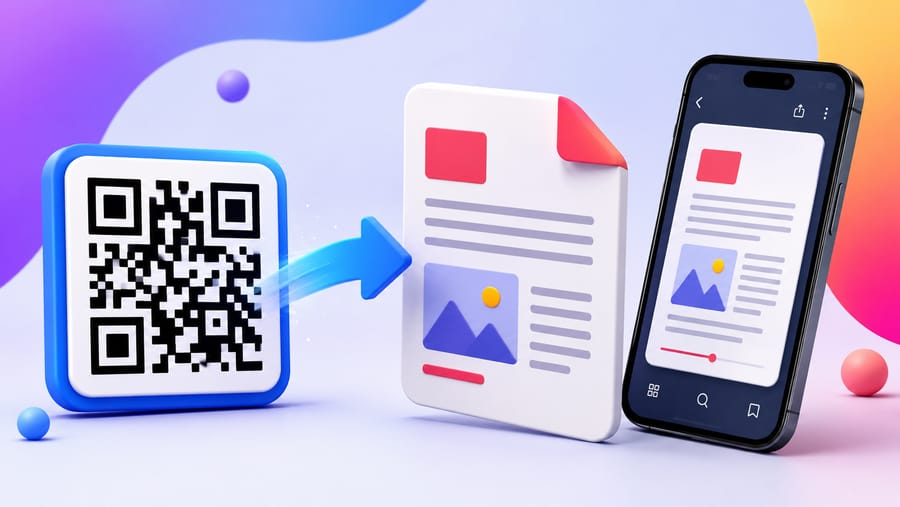
There is a persistent misunderstanding worth clearing up first: a QR code cannot hold a PDF. A code holds a few hundred characters of text. A PDF is hundreds of kilobytes at least. What a code holds is a link to a file that lives somewhere on the web.
So "make a QR code for my PDF" is really two jobs: put the file somewhere durable, then point a code at it. The second takes a minute. The first is where printed codes quietly die.
Where to host the file
In rough order of how well it survives being printed:
- Your own website. Best. You control the URL forever, the file opens directly, and you can replace it in place.
yoursite.com/menu.pdfcosts nothing extra if you already have hosting. - Object storage (S3, R2, Spaces, similar). Also excellent, and the right answer if you have no site. Stable URLs, no viewer chrome, cheap.
- Google Drive, Dropbox, OneDrive. Workable but with real caveats. The link may open a viewer page rather than the document, may prompt a download, may ask the visitor to sign in if sharing is set wrong, and the URL format is not something you control. For an internal document, fine. For something on 5,000 printed leaflets, risky.
- WeTransfer, temporary file hosts, an email attachment link. Never. These expire by design.
To be direct about our own role: we do not host your PDF. A PDF code in Enqre takes a URL that you supply and control. What we add is the layer in front of it.
Why the redirect in front of the file matters
Point a printed code straight at yoursite.com/price-list-2026-v3-final.pdf and you have hard-coded today's filename into physical objects. Point it at a dynamic code instead and the printed pattern never has to know where the file is.
Two things that buys you:
- You can move or rename the file. New CMS, new folder structure, a filename with a different version number — edit the destination, the print stays valid.
- You can swap document for document. The winter menu becomes the summer menu; the 2026 catalogue becomes the 2027 one. Same code on the same table tent.
If you host on your own site and are disciplined about always replacing the file at the same URL, a static code can work too. In practice nobody stays that disciplined for three years, and a redirect costs nothing.
Be honest about whether a PDF is the right thing to serve a phone
This is the part most guides skip. A PDF is a fixed-layout print format. On a phone it means pinch-to-zoom, horizontal scrolling, a download that eats mobile data, and on some devices an app switch. For a restaurant menu that is a bad experience and a measurable one — people give up.
A reasonable rule:
- Serve a web page when the content is meant to be read on the phone: menus, price lists, schedules, instructions. A menu code type or a plain web page beats a PDF every time.
- Serve a PDF when the document is the deliverable: a manual, a spec sheet, a warranty, a certificate, a form to print, a technical drawing. Things people want to keep or send on.
If you must use a PDF for reading, at least make it portrait, single-column, large-type and small — under a couple of megabytes.
Practical checks before you print
- Open the URL in a private browser window on a phone. This catches the most common failure by far: a share link that works for you because you are signed in.
- Check it on mobile data, not Wi-Fi. A 40 MB scan of a brochure is a different experience on a train.
- Confirm it opens rather than downloads, if that matters to you. That is decided by the host's
Content-TypeandContent-Dispositionheaders, not by the code. - Scan the actual printed proof at the distance people will stand — the usual rule is roughly a tenth of the reading distance, and keep the white quiet zone clear.
What the scan numbers do and do not tell you
You get scan counts over time, device, OS, browser and referrer, and unique visitors from a hashed IP. That tells you how many people asked for the document.
It does not tell you whether they read it. The redirect hands the visitor to your host and the story ends there — we see the request, not the reading. If you need to know that pages were turned, serve an HTML document you can instrument instead.
For documents that should not be public
An internal price list or a partner spec is often printed on something semi-public. Two per-code controls help, on the paid plans: a password in front of the redirect, and an expiry date so a tender document stops resolving after the deadline. Neither protects the file itself — if the underlying URL is guessable and unprotected, anyone with it still has it. Protect the host too.
Quick answers
- Can a QR code contain a PDF? No. It contains a link to one. There is no format in which a document fits inside the pattern.
- Can I change the PDF without reprinting? With a dynamic code, yes — edit the destination. With a static code, only by replacing the file at the exact same URL.
- Do I need a website to host it? No, object storage works. Cloud-drive share links work but bring viewer pages and sign-in risks.
- Why does my PDF code ask people to sign in? The share permission is set to specific people rather than anyone with the link. Test in a private window.
- Should a restaurant menu be a PDF? Preferably not. Serve a page built for phones; keep PDFs for documents people want to keep.
- Can I see how many people opened the file? You see scans of the code. Whether the document was then read is between the visitor and your host.