Published on 8/7/2026
A QR Code in Your Email Signature: One Case Works, the Rest Are Decoration
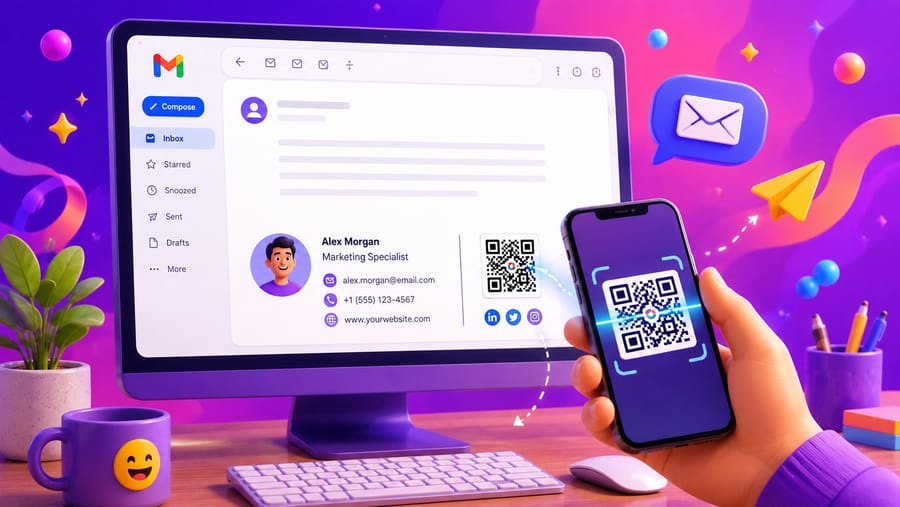
The advice is everywhere: put a QR code in your email signature. The problem with it is the same one that sinks codes inside videos — the reader is already holding the scanner.
Someone reading your email on a phone cannot scan a code on that phone's screen. Someone reading it on a laptop can, but only by picking up a second device. In both cases a plain link is one tap or one click, and the code is a picture of a link they cannot use.
So the honest question is not "how do I add one" but "when is a second device actually available and wanted". There is one answer, and it is a good one.
The case that works: read on a desktop, wanted on a phone
Your contact details are the classic example. A recipient reads your email at their desk, and what they want — your number, your address, your details — belongs in the phone in their pocket, not in the browser in front of them. That is a genuine device switch, and a code is the fastest way across it. Clicking a link on a laptop does not put your number in their phone; scanning does.
The same logic covers a handful of others:
- An app you want installed. The app is on the phone, the email is on the desktop.
- A messaging channel. WhatsApp or a similar chat lives on the phone even when the person reads mail on a computer.
- Anything the recipient will use while standing up — a route, a ticket, a check-in, a form to fill in on site.
Notice what these share: the destination belongs on a phone, and the email is being read somewhere else. If that is not true, the code is decoration.
Where it is decoration
- Your website. They are on a computer with a browser. Give them the address as a link.
- A PDF, a case study, a price list. All better opened on the screen they already have.
- A "book a meeting" link. The booking page works fine on a laptop, and it works better there.
- A social profile. One tap in a browser; nothing about it needs a phone.
In each of these the code adds weight to every email you send and gives back nothing.
Setting up the one that works
- Keep it small and put it beside the text, not above it. 100–120 pixels is plenty for a screen — a code read from 40 cm on a monitor does not need to be a banner. Bigger signatures get clipped by mail clients and flagged as heavy.
- Label it. "Scan to save my contact details" earns scans; a bare square in a signature reads as a logo nobody recognises.
- Use PNG, not SVG. Mail clients are unreliable with SVG; PNG renders everywhere.
- Do not make it the only route. Keep your phone number and address as text as well. Many clients block remote images by default, and a signature whose contact details exist only inside a blocked image is a signature with no contact details.
- Host the image somewhere permanent — a signature outlives most campaign assets, and a broken image in every email you have ever sent is a bad look that arrives all at once.
- Make it dynamic. Your signature is copied into other people's mailboxes and stays there for years. When your number, your role or your company changes, a dynamic code is an edit; a static one is thousands of emails pointing at something that is no longer true.
Which code type
A vCard code hands over name, phone, email and company in the format the phone's contacts app expects — one scan, one saved contact, no typing. It is part of the paid plans here.
A plain URL code is free and works too, if it points at a page that holds your details. It is one step longer for the recipient, and it has one advantage worth weighing: you can change what is on that page afterwards, which a vCard already handed over cannot do.
Measuring it honestly
A dynamic code counts scans, so you can find out whether anyone uses it — and this is one of the few places where the number is likely to talk you out of the feature, which is exactly why it is worth checking.
Each scan records the time, the device type, the operating system and browser, the referrer if there is one, and a salted hash of the IP address. No identity and no location — so a scan tells you your signature was used, not who used it. Give it a month. If it is a handful of scans against thousands of emails, remove it and reclaim the space.
Quick answers
- Should I put a QR code in my email signature? Only if the destination belongs on a phone and your email is read on a computer — contact details, an app, a chat channel.
- Why not for my website? The reader already has a browser open. A link is faster.
- What size? 100–120 px, beside the text.
- PNG or SVG? PNG — mail clients handle SVG unreliably.
- Will everyone see it? No. Many clients block remote images, which is why the same details must also be there as text.
- Static or dynamic? Dynamic. A signature lives in other people's mailboxes for years after your details change.