Published on 8/7/2026
A QR Code API: What to Automate, and What Not To
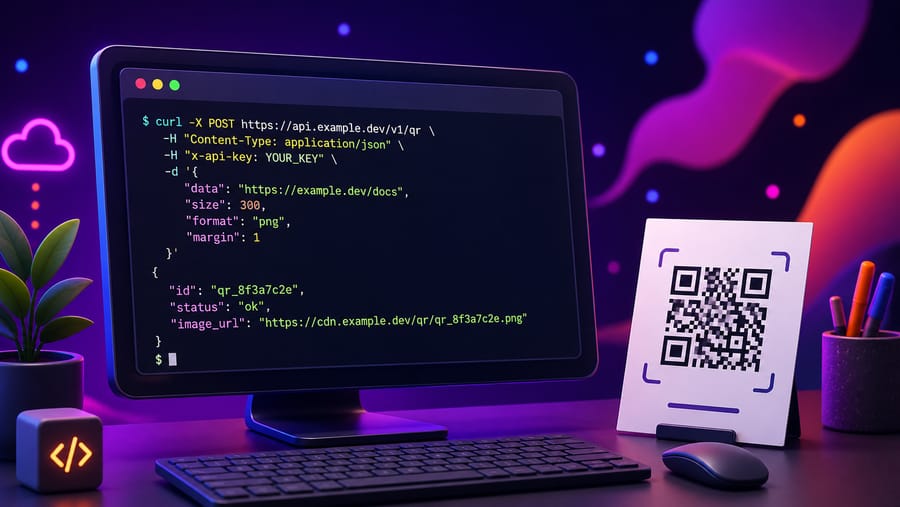
Most QR codes should be made by a person, once, and printed. An API earns its place in the cases where that is impossible: a code per order, per booking, per asset, per user — created at a moment nobody can predict and in a quantity nobody wants to click through.
The endpoints are the easy part and are below. First, the part that decides whether the integration ages well.
When an API is the right answer
- A code per record in a system you already run. A ticket, a work order, an asset tag, a shipment. The code has to exist the moment the record does, so a human step is not available.
- Codes whose destination is derived, not chosen. If the target URL is computable from your data, a person retyping it is a source of errors, not a decision.
- Scan data that has to live in your own reporting. Pulling scans into the warehouse next to orders and revenue answers questions a QR dashboard cannot.
When it is not
- A marketing campaign. Half a dozen codes chosen by people, designed by people, printed once. Automating that adds a deployment to a task that took ten minutes.
- Anything where the design matters. The API creates codes and manages destinations; the styling, frames and templates are the editor's job.
- A one-off batch. That is what the CSV upload is for — a spreadsheet is a faster integration than an integration.
Authentication
A key is created in the dashboard and shown once. Only a SHA-256 hash of it is stored, alongside its first characters so you can tell keys apart in the list — which means a lost key cannot be recovered, only replaced. Keys look like enq_…, and travel in the standard header:
Authorization: Bearer enq_xxxxxxxxxxxxxxxxxxxxxxxxxxxxThe API is part of the Business plan. Requests are limited to 60 per minute per account; over that the answer is 429 with rate_limited, which is a signal to batch, not to retry in a tight loop.
Creating a code
POST /api/v1/qrcodes
Authorization: Bearer enq_…
Content-Type: application/json

{ "name": "Order 10432 – delivery note", "url": "https://shop.example/orders/10432" }
You get back the code with its id, slug and shortUrl — the address the code encodes and the one to render. Two habits pay for themselves here:
- Put your own identifier in the name. The name is what makes a list of five thousand codes navigable later, and it is the only field that carries your meaning.
- Store the returned
idagainst your record. Without it, updating that code later means searching by name and hoping it is unique.
The rest of it
GET /api/v1/qrcodes— your codes, newest first, with cursor paging. Each carriesname,type,slug,destinationUrl,scanCount,active,createdAtandshortUrl.GET /api/v1/qrcodes/{id}— one code.PATCH /api/v1/qrcodes/{id}— change the destination. This is the endpoint the whole idea of a dynamic code rests on: the printed square never changes, this does.DELETE /api/v1/qrcodes/{id}— remove it. Anything already printed stops working, so treat this as the destructive call it is.GET /api/v1/qrcodes/{id}/scans— the scan records, newest first, up to 1,000.
What a scan record contains
Time, device type, operating system and browser as the request reported them, and the referrer when the browser sends one. There is no identity, no account, and no location at all — not a city, not a country.
Worth knowing before you design a report around it: you can answer "how many, when, on what kind of device", and you cannot answer "who" or "where". If your plan needs either, this is the wrong data source and no amount of integration will change that.
Errors you will actually meet
401 invalid_api_key— missing header, wrong prefix, or a key that has been replaced.400 invalid_body— most often a URL that is not a URL. Validate before sending; the endpoint is strict on purpose.402 plan_limit_reached— the account is at its code limit. Business is unlimited, so in practice this means the key belongs to a smaller plan.429 rate_limited— over 60 requests in a minute. Queue and spread them.
Two things to get right on day one
Make creation idempotent on your side. The API will happily create a second code for order 10432 if you ask twice — retries, timeouts and at-least-once queues all ask twice eventually. Store the returned id and check before creating.
Do not print what you have not read back. If the code goes onto something physical, fetch it once after creating and confirm the destination is what you meant. It costs one request and prevents the only mistake in this whole system that cannot be corrected later.
Quick answers
- Which plan includes the API? Business.
- How do I authenticate?
Authorization: Bearer enq_…, with a key created in the dashboard. - What if I lose the key? It cannot be recovered — only the hash is stored. Create a new one and revoke the old.
- What is the rate limit? 60 requests per minute per account.
- Can I change where a code points? Yes —
PATCHthe destination; the printed code is untouched. - Does the scan data include location? No. Time, device, OS, browser and referrer only.
- I just need 500 codes once. Use the CSV upload instead — it is faster than writing an integration.