Published on 7/23/2026
WhatsApp QR Code: The Country Code Is Where It Goes Wrong
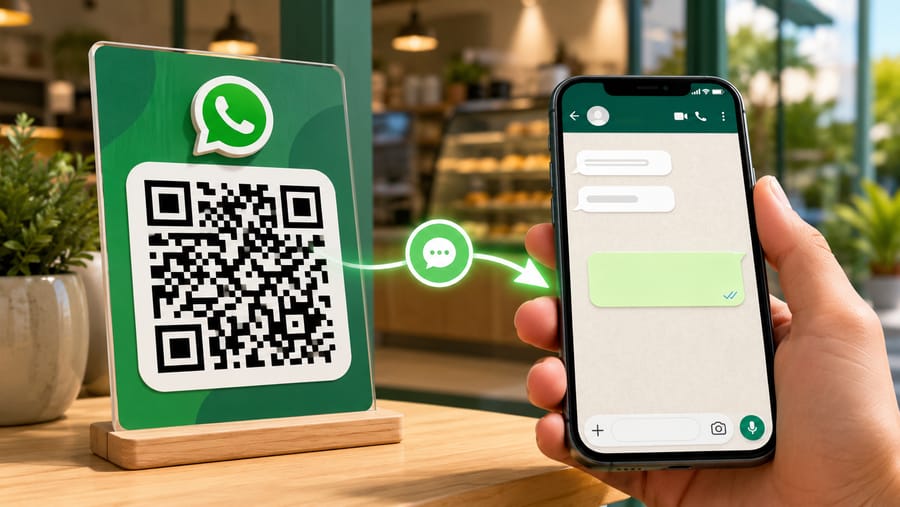
A WhatsApp QR code turns a printed surface into the start of a conversation. Someone scans, WhatsApp opens with your business already selected, and — if you set one — the first message is already typed. No number to copy, no contact to save, no app to search.
Underneath it is simply a link of the form https://wa.me/<number>, optionally with a pre-filled text. Which brings us straight to the one thing that breaks it.
The number must be in full international form
The wa.me format takes digits only, including the country code, with no plus sign, no spaces and no national trunk zero.
So for a Rome landline written locally as 06 1234567:
- Right:
39061234567— country code 39, then the number. - Wrong:
061234567— no country code. WhatsApp has no idea which country this is and the chat does not open. - Also wrong: dropping the leading zero when your country's numbering actually keeps it after the country code. Check your own format rather than assuming.
Practical advice: type the number the way you would give it to a foreigner — +39 06 1234567. Our editor strips the plus, the spaces and the dashes for you, so the readable form is safe to enter. What it cannot invent is a country code you never typed, and that is the failure you will see: a code that scans perfectly and opens WhatsApp with nothing in it.
The pre-filled message is the part people underuse
The hardest moment for the person scanning is not opening the chat, it is knowing what to say. A pre-filled first message removes that hesitation and tells you where the scan came from.
Good pre-fills are short and specific:
- "Hi, I'd like to book a table for" — leaves them one word to add.
- "Hello, I'm at the Baker Street shop and would like help with" — tells you the location before they say a word.
- "Hi, I'm asking about the flat at 14 Green Lane."
Two cautions. The text is fully editable before sending, so treat it as a prompt and not a form. And keep it to one line: a long pre-fill looks like spam and gets deleted before sending, which loses you the context you wanted.
Where a WhatsApp code actually earns its place
- A shop window, out of hours. The single best use. Someone stands outside a closed shop, scans, asks a question, and you answer in the morning instead of losing them.
- Trades and service vehicles. A van panel or a work notice: nobody memorises a number from a moving vehicle, but they will scan a parked one.
- Delivery packaging and receipts. A support channel that does not require finding your website.
- Estate agent boards and window cards. Property enquiries arrive with the address pre-filled.
- Takeaway table tents. Orders and questions without a phone call during service.
Where it does not belong: anywhere the enquiry needs structured data. If you need a date, a size and an address, that is a form, not a chat — you will spend the conversation asking for fields.
Two things to think about before printing your number
First, a printed number is a public number, permanently. Use a business line, not the owner's personal mobile. Reprinting a thousand leaflets because a phone changed hands is an avoidable expense — and this is exactly the case for a dynamic code, where the number is an edit rather than a reprint.
Second, the customer experience on the other side is WhatsApp's, not ours. Opening hours, away messages, quick replies and a catalogue are features of the WhatsApp Business app; if you are putting codes on a shopfront, set up an away message before the first scan arrives at 23:00.
What a dynamic code adds here
The printed pattern points at a redirect, so the chat destination is editable:
- Change the number when the phone, the staff member or the department changes.
- Change the pre-filled message with the season or the campaign.
- Change the channel entirely. If WhatsApp stops being where you want conversations — a different messenger, a form, a phone number — the printed code follows without a reprint.
- Route by device or language. Redirect rules can send German-speaking scanners to a German-speaking colleague's number, or send desktop visitors to a web form since WhatsApp Web is a poorer fit.
Test it the way a stranger will
- Scan it on a phone that is not the destination phone. Scanning your own WhatsApp number opens a chat with yourself and proves nothing.
- Scan it on a phone without WhatsApp installed. You will see the fallback page that prompts installing the app — decide whether that is acceptable for your audience or whether the code should point somewhere else.
- Check the pre-filled text arrives intact, especially with accented characters or emoji.
- Scan the printed proof at the real distance, roughly a tenth of it in code width, with the white quiet zone clear.
Be clear about what the statistics are
You get scans: how many, when, on what device and OS, from what referrer, and unique visitors from a hashed IP. You do not get conversations. Once WhatsApp opens, the exchange belongs to WhatsApp — we cannot see whether a message was sent, let alone what it said. Scan counts tell you which placement produces interest; your inbox tells you the rest.
And to be explicit: we do not send messages, do not connect to the WhatsApp Business API and do not read replies. We generate the code and the redirect in front of it.
Quick answers
- How do I make a WhatsApp QR code? Create a WhatsApp-type code, enter the number in full international form, optionally add a first message.
- Why does my code open WhatsApp but no chat? Almost always a missing country code, or a trunk zero that should have been dropped.
- Is this the same as WhatsApp's own QR code? No. WhatsApp's in-app code adds you as a contact and cannot be edited or measured. This is a link you control, with scan statistics and a changeable destination.
- Can I pre-fill the message? Yes, and you should. Keep it to one line; the sender can edit it.
- Can I change the number later? With a dynamic code, yes, without reprinting.
- Does it work without WhatsApp installed? The link opens a page prompting installation. Plan for that if your audience may not have the app.