Published on 8/6/2026
QR Codes on TV, Video and Slides: Size, Timing and What Breaks Them
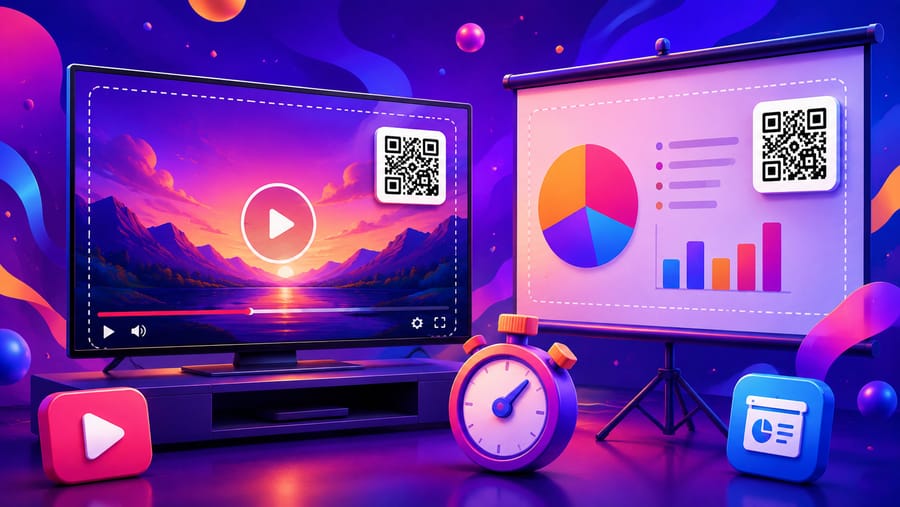
A printed code waits patiently. A code on a screen does not: it is on for a few seconds, seen from three metres away, and competing with whatever else is moving. The constraints are different enough that the print rules do not carry over unchanged.
Dwell time is the first constraint, not size
Count what the viewer has to do: notice the code, decide it is worth it, find the phone, unlock it, open the camera, aim, wait for the capture. Even a willing person needs several seconds, and they do not start at zero.
Ten seconds is a realistic floor, and longer is better on a TV where nobody is expecting a call to action. A code that appears during a transition, or sits under a title that changes, is decorative.
Two consequences for video: put the code where it stays for a whole segment rather than a beat, and say it is coming — "the link is on screen in a moment" gives people time to pick up the phone before it appears.
Size: about a tenth of the viewing distance
The same rule as print, applied to the room rather than the page. On a screen it is easier to think in share of picture height:
- A meeting-room slide, read from two to four metres: roughly a tenth to an eighth of the slide height.
- A conference hall, read from ten metres or more: a quarter of the height is not too much, and it should probably be its own slide.
- Television, read from two to three metres on a screen that is itself small in the viewer's field: bigger than looks right in the edit. Judge it on a monitor from sofa distance, not at your desk.
The mistake this rule prevents is designing on a laptop at arm's length, where a code a quarter the size looks perfectly readable.
The safe area, and where broadcast eats your code
Never put a code hard against the edge. Televisions overscan, streaming players overlay controls at the bottom, video calls put name bars and toolbars along the edges, and social platforms crop to their own aspect ratio.
Keep the code inside roughly the middle 90% of the frame, and away from the bottom strip where playback controls live. On a slide, avoid the footer where the deck template puts page numbers.
What breaks a code on a screen
- Motion. A code that moves, slides in, or sits over moving footage often cannot be captured. Static and on a plain background, or it is decoration.
- Compression. Heavy video compression softens the module edges, and low bitrate on a moving background is the worst case. A bigger code with larger modules survives it; a dense one does not.
- Screen glare and viewing angle. A glossy TV in a bright room, or an auditorium screen seen from the side, both reduce effective contrast. Keep the code dark on light, never light on dark, and never on a busy background image.
- Animated backgrounds behind a transparent code. The quiet zone has to be solid, so a code sitting on video with a transparent margin has no quiet zone at all.
Video calls and webinars
Holding a printed code up to a webcam usually fails: autofocus hunts, the compression is aggressive, and the image is small in everyone's grid. Share the code as a slide instead, full screen, and leave it up while you say what it is for.
The same goes for a virtual background — the platform's segmentation will cut into the edges of anything near you, and the quiet zone is the first thing it eats.
The awkward truth about screens
If the viewer is watching on the device that would do the scanning — a phone, a laptop with the video in a browser tab — a code is the wrong tool. They cannot scan the screen they are looking at, so you are asking them to find a second device.
For anything watched on a phone, put the link in the description, the caption, the chat, the pinned comment. Keep the code for the shared screen: television across the room, a projector, a hall, a lobby display. If your video will be watched both ways, do both — code on screen for the room, link in the description for everyone else.
Measure it separately
Give the on-screen code its own code, not the same one as the poster and the flyer. There is no location data in the analytics at all, so a separate code is the only way to know whether the TV spot or the lobby screen produced the scans — and the timeline will tell you the rest, since a broadcast spike is unmistakable.
Quick answers
- How long should a code stay on screen? Ten seconds minimum, longer on television.
- How big on a slide? Around a tenth of the slide height for a meeting room, up to a quarter for a hall.
- Can I animate it? No. It has to be still, and on a plain background.
- Why does my code fail on video? Usually compression plus a busy background, or it is simply too small for the distance.
- Where on the frame? Inside the middle 90%, away from the bottom where player controls sit.
- Should I put one in a video watched on phones? No — the viewer is holding the scanner. Put the link in the description.