Published on 8/6/2026
Are QR Codes Safe? What They Can and Cannot Do to Your Phone
The short answer: the code itself is inert. It is a pattern that decodes into a piece of text — usually a web address. It has no ability to install software, execute code, or read anything from the phone that scanned it.
What can go wrong is entirely about the destination, and about whether the code you scanned is the one the owner put there.
What a QR code physically cannot do
- It cannot contain a virus. There is nothing to run. The decoded text is handed to the operating system, which decides what to offer — usually "open this link".
- It cannot install an app by itself. It can send you to a store page, but installing still needs your explicit action and the store's own checks.
- It cannot read your contacts, photos or messages. Scanning grants no permissions at all.
- It cannot make a payment. A code can open a payment page; the payment still requires you to authorise it in an app or bank interface.
- It cannot silently connect you to Wi-Fi in any way you did not confirm — the phone asks first.
What can actually go wrong
Three things, in order of how often they happen:
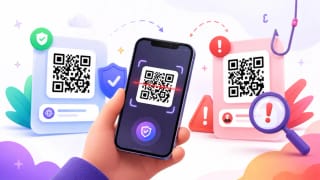
- The destination is a phishing page. A convincing copy of a bank, a parcel service or a parking payment site. This is the whole game, and the code is just the delivery method — no different from a link in a text message, except that you cannot read it before tapping.
- The code is not the owner's. A sticker over the real one on a parking meter, a menu, a charity poster. The business is unaware, the customer has no reason to suspect, and the physical world has no equivalent of a browser warning.
- The destination asks for something it should not. Login details, a card number, an app installed from outside the store. The page is the attack; the code merely got you there.
How to scan safely, in practice
- Read the address before you tap. Every modern phone shows the URL as a preview after scanning, and it is the single most useful habit. Look at the domain — the part just before the first single slash — not at the rest.
- Distrust the physical context first. A sticker on top of a printed code, a code on a lamp post, a code taped to a parking meter: these are the ones worth doubting, more than anything about the pattern itself.
- Never enter payment or login details on a page you reached by scanning a code in the street. Go to the bank or the service the way you normally would.
- Be sceptical of urgency. "Your parcel is held", "your fine doubles tomorrow" — pressure is the constant of every scam, on paper as much as in email.
- Check the certificate is real, not just present. A padlock means the connection is encrypted, not that the site is honest. Phishing pages have padlocks too.
If you own the codes
The risk moves: your customers' trust is what is at stake, and there are three practical defences.
- Use a domain people recognise. A short link on your own domain makes a fake sticker obvious to anyone who reads the address. An unfamiliar shortener domain teaches your customers that anything goes.
- Print the address under the code. One line, and it turns a mystery square into a claim that can be checked.
- Look at your own signage. Tampering is a physical attack and needs a physical check — whoever opens up in the morning can glance at the codes.
A dynamic code helps here in a way that is easy to miss: if a code is ever misused or a campaign page is compromised, you repoint it in seconds instead of sending someone out to replace printed material.
What scanning tells the owner about you
Worth knowing, because "safe" also means "what is being collected". With this service, a scan records the time, which code, the device type, the operating system and browser as reported by the request, the referrer if the browser sends one, and a salted hash of the IP address used to count unique visitors.
Not recorded: your identity, your phone number, your contacts — and no location at all. Many services derive a country from the IP address; this one does not collect it. Other providers differ, which is exactly why the question is worth asking of whoever's code you are scanning.
Quick answers
- Can a QR code give my phone a virus? No. It decodes to text; there is nothing to execute.
- Can it steal my data by scanning? No. Scanning grants no permissions. A page you then visit can try to trick you into typing something.
- Is it safe to scan a random code in the street? Scanning, yes. Trusting where it leads is the question — read the address first.
- How do I spot a tampered code? Look for a sticker over another one, and read the domain after scanning.
- Are codes in restaurants safe? Generally, but the same check applies: the domain should look like the restaurant's, not a random shortener.
- Does the owner know who I am? No. Here, the record has no identity and no location — only time, device, browser and a hashed IP.