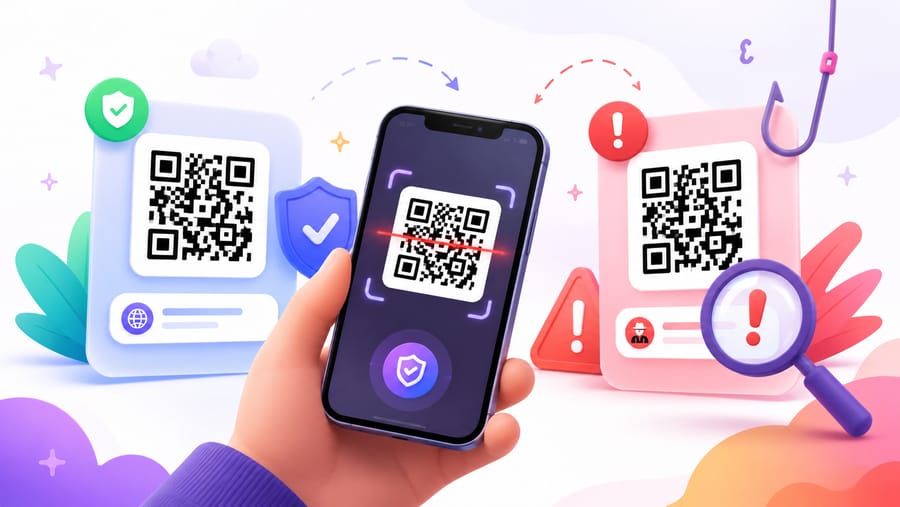
A QR code hides its destination behind a pattern of squares — which is exactly what makes it useful for attackers. Phishing delivered through QR codes even has its own name: quishing. This guide covers the scams that really happen, how to check a code before you trust it, and what businesses should do to keep their own printed codes from being abused.
What quishing is
Quishing is ordinary phishing with a different delivery method. Instead of a clickable link, you get a QR code — on a sticker, a letter, an invoice, or inside an email. You scan it, land on a convincing copy of a login or payment page, and hand over credentials or card details.
Three things make the QR variant effective. You cannot read the destination with your eyes. You scan with a phone, where the address bar is short and easy to misread. And a code inside an email often slips past filters that only inspect text links.
Scams that actually happen
- Sticker over a real code. A fake code is pasted on a parking meter, an EV charger, or a poster. The victim pays a stranger instead of the operator.
- Fake invoice or payment request. A letter or PDF asks you to settle a bill by scanning. The bank details belong to the attacker.
- “Verify your account.” An email claims your mailbox, bank, or delivery is on hold and asks you to scan a code to confirm. The page harvests your password and two-factor code.
- Missed delivery notice. A card in your letterbox offers to reschedule a parcel — for a small fee that captures your card number.
- Rogue Wi-Fi. A code that connects you to a network the attacker controls.
- Free gift or survey. A code promising a reward that leads to a data-harvesting form or an app install prompt.
How to check a code before you trust it
- Read the preview. Modern phone cameras show the address before opening it. Read the whole domain, right to left of the first slash —
secure-bank.example.comis notexample.com. - Look at the sticker itself. A code glued over another one, misaligned, or on a surface where nothing else is printed deserves suspicion. Peel-test with a fingernail if it is public infrastructure.
- Never type credentials on a page you reached by scanning. Open the site yourself — type the domain, use your bookmark, or the official app.
- Treat payment requests as hostile by default. Legitimate parking, utilities, and public services do not depend on a sticker to collect money.
- Ignore urgency. “Within 24 hours or your account is closed” is a pressure tactic, not a deadline.
- Watch for the app-install prompt. A page that immediately pushes a profile, certificate, or APK is not a login page.
What businesses should do
If you print QR codes, your customers' trust is part of your infrastructure. Practical measures:
- Print a domain your customers recognise. A code that resolves to your own short domain lets people verify it in the preview. A custom domain turns the address bar into a signal.
- Make tampering visible. Laminate, use tamper-evident labels, integrate the code into the artwork instead of a peel-off sticker, and check high-traffic locations regularly.
- Use dynamic codes. If a code is compromised, copied, or its campaign is abused, you can repoint or disable it in seconds instead of recalling print.
- Watch your analytics. A sudden spike, an unusual device or browser mix, or traffic long after a campaign ended are worth investigating.
- Gate sensitive material. For internal documents or limited campaigns, a password, an expiry date, or a scan cap keeps a leaked code from being useful forever.
- Tell people what to expect. “This code opens our menu at example.com — we never ask for payment by QR” removes the attacker's cover story.
With Enqre, every code is dynamic, so you can repoint or switch one off immediately; scan analytics show anomalies; and password, expiry and scan-limit controls are available on paid plans.
Frequently asked questions
Can a QR code contain a virus?
Not by itself. A QR code is just encoded text — usually a link. The risk is entirely in where it leads and what you do there, so the safety question is always about the destination, not the pattern.
Is it safe to scan a restaurant menu code?
Generally yes, and the same checks apply: read the domain in the preview, and be suspicious if a menu code asks you to log in or pay before showing you any food.
How do I check a QR link without opening it?
Use your camera's preview and read the domain. If you need more certainty, retype the domain in a browser rather than tapping through, or check the link in a reputable URL-reputation service before visiting.
What should I do if I already scanned a malicious code?
If you entered a password, change it immediately on the real site and revoke active sessions. If you entered card details, contact your bank. If you installed anything, remove it and run a security check on the device.
The Enqre Team·Published on 6/23/2026·Updated 8/7/2026