Published on 8/5/2026
How to Edit a QR Code (and When You Cannot)
There are two answers to this, and which one applies to you was decided the moment the code was made.
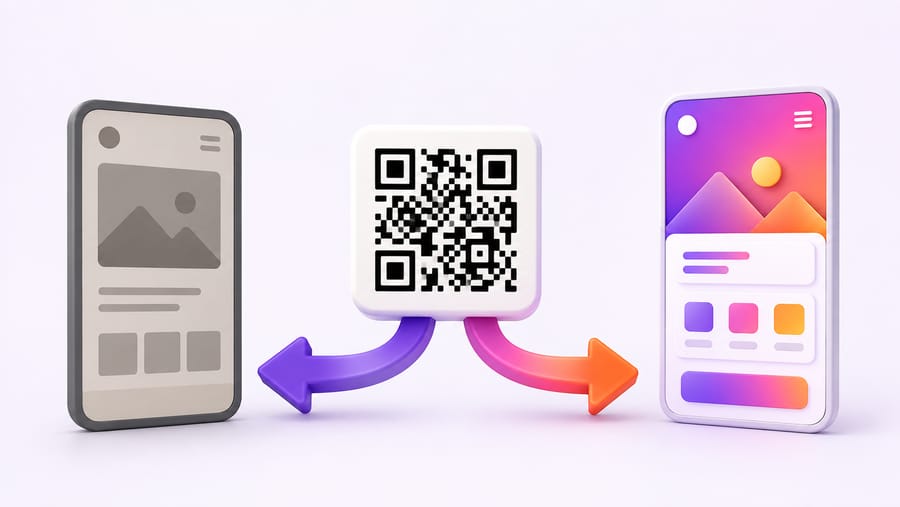
A dynamic code can be edited. Change the destination, save, and every printed copy points somewhere new within seconds. Nothing is reprinted.
A static code cannot be edited. Not by us, not by any tool. The destination is encoded in the pattern itself — the black and white squares are the URL. Changing where it goes means changing the pattern, which means a different code.
How to tell which one you have
Scan it and look at the address that appears.
- A short link on a service's domain — something like
enqre.com/r/ab12cd— is a dynamic code. The pattern encodes that short link; the service decides where it forwards, so the destination can change. - Your full destination address —
yoursite.com/spring-menu-2026?utm_source=flyer— is a static code. The pattern contains the whole address, and there is nothing in between to redirect.
Two other tells: a static code with a long URL has a visibly denser pattern, and a code that reports no scans anywhere is usually static, because there is no redirect to count them.
Editing a dynamic code
Open the code, change the destination, save. Things worth knowing:
- It applies immediately to every copy in existence — the poster on the wall, the sticker on the packaging, the PDF someone downloaded last year.
- The pattern does not change, so there is nothing to reprint and no risk of the artwork drifting from what is already out there.
- Editing is on every plan, including free. Some services let you create a dynamic code for nothing and then charge to change where it points — which is the only thing a dynamic code is for. Worth checking before you print, not after.
- Scan history is kept. Repointing a code does not reset its counter, so you can see the before and after in one timeline.
What else you can change without reprinting
The destination is the obvious one. Also editable on an existing dynamic code:
- The content behind the code — the whole Wi-Fi password, the vCard details, the menu link.
- Redirect rules: send iPhones and Android phones to different places, route by the phone's language, or switch destination by time of day.
- Whether it works at all. Pause a code and it shows a notice instead of forwarding. Useful when a campaign ends and you would rather say "this offer has finished" than send people to a 404.
What you cannot change without reprinting is the design: colours, shape, logo and frame live in the pattern's appearance, so a new look is a new file for the printer. The destination and the design are independent — that is the point.
If your code is static and already printed
The pattern cannot be edited, so you have three options, in order of how much they cost:
- Change what is at the other end. You cannot edit the code, but you may control the page it points at. Put a redirect on that URL, or replace the page's content. This is the only fix that requires no reprint, and it only works if the address is yours.
- Redirect at the web-server level. If the printed URL is on your domain, a 301 in your server config or CMS sends everyone onward. Same idea, more permanent.
- Reprint with a dynamic code. The expensive one, and the reason to make the next code dynamic even if you have no plans to change it. Printing is the costly half; a code you can repoint is insurance on the print run.
What no tool can do
Search results will offer you "QR code editors" that promise to change a static code's destination. They cannot, and the ones that appear to are doing one of two things: generating a new code that looks similar, or wrapping your URL in their redirect — which quietly makes the code depend on a third party you did not choose, on a domain your customers do not recognise. If a service offers to make your printed static code editable, ask whose domain the scan will pass through afterwards.
Quick answers
- Can I edit a QR code after printing? If it is dynamic, yes, in seconds. If it is static, no — the destination is inside the pattern.
- How do I know which I have? Scan it. A short link on a service's domain means dynamic; your full destination address means static.
- Does editing cost money? Not here — it is included on every plan, free included. Check that before printing with any provider.
- Does the pattern change when I edit? No. That is why nothing needs reprinting.
- Can I change the colours without reprinting? No. The look is in the printed artwork; only the destination lives on our side.
- My static code is on 5,000 flyers. What now? Redirect the URL it points at, if it is your domain. Otherwise the flyers are fixed — and the next batch should carry a dynamic code.