Published on 8/5/2026
How to Test a QR Code Before You Print 5,000 of Them
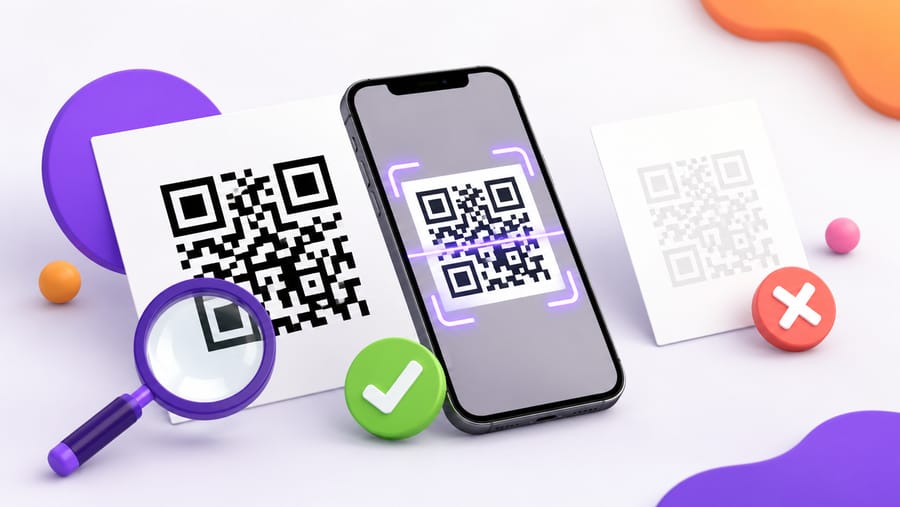
Every failed QR code campaign fails the same way. The code scanned perfectly on the screen it was designed on, and nobody scanned it on paper until the delivery arrived.
Here is the order to test in, cheapest first.
1. Read what the designer cannot see
Some failures are arithmetic, and arithmetic can be checked before anything is printed. Our editor does this continuously while you design, and it is looking for:
- Contrast between the modules and the background, computed as a real luminance ratio rather than eyeballed. Blush on ivory is the classic failure.
- Both ends of a gradient, because the pale end is the one that fails while the dark end flatters the preview.
- The finder patterns — the three corner squares — separately, because a scanner locates them before it reads anything, so low contrast there fails earlier than low contrast in the body.
- Inversion: a light code on a dark background, which some older scanners will not read at all.
- The logo against the error-correction level: a centre logo deletes modules, and the level is what pays for them.
- The quiet zone: clear space around the pattern, which a decorative border eats without looking like it is doing anything wrong.
Be clear about the limit, though: this reviews the design. It does not decode the rendered image. It cannot tell you that your printer's ink spread turned the modules into mush — that is what step 3 is for.
2. Check the destination on a phone, on mobile data
Before worrying about the pattern, open the destination on a phone with Wi-Fi turned off. Half of what people call a broken code is a working code pointing at a page that takes eleven seconds on a cellular connection, or a desktop-only page, or a consent banner that covers the content.
While you are there: does the page answer the question the code implied? Somebody scanning "see the menu" should land on the menu, not the homepage.
3. Print one, not one thousand
This is the step that catches what nothing else can, and it costs a sheet of paper.
Ask the printer for a single proof — of the real artwork, at the real size, on the real material. Then scan it:
- From the distance people will actually stand at. A table tent is read at 40 cm, a poster at a metre, a board from the pavement. Do not test a poster at arm's length.
- Under the real lighting. A menu at candlelight, a shop window in daylight, a spa corridor that is deliberately dim. Screens are backlit and forgiving; matte laminate under a fluorescent tube is not.
- At an angle, because nobody stands square to a wall.
- With a phone that is not new. Your two-week-old flagship is the best camera your audience owns, not the typical one.
If it reads first time, you are done. If it needs a second attempt, do not ship it — "usually works" across five thousand flyers is a lot of people who gave up.
4. Test both platforms
iPhone and Android read codes with different camera stacks, and an in-app browser is a third case. Scan with an iPhone camera, an Android camera, and once from inside a social app if that is where your audience will meet the code — in-app browsers sometimes rewrite links or refuse to open them.
5. Check the materials you are actually using
Print settings and substrate break more codes than design does:
- Glossy stock and lamination reflect. Under a phone's flash, a gloss finish can blow out the middle of the code entirely. Matte is the safer choice for anything held in the hand.
- Foil and embossing: gold foil is a mirror, and a deep letterpress impression distorts the modules. Foil the border, print the code in ink.
- Fabric and curved surfaces stretch the pattern. Bottles, cups and T-shirts want a bigger code and a flatter placement than paper does.
- Thermal receipt paper fades. It is fine for a code that will be scanned today and useless for one kept in a wallet.
6. Try to break it on purpose
Two minutes of deliberate abuse tells you what the first week will do anyway. Scratch a corner of the proof, fold it, cover a tenth of it with your thumb, put it in a pocket for a day. A code at error-correction level H should survive scattered damage — but cover one of the three corner squares and no level will save it, which is exactly why you should know how yours behaves before someone else finds out.
7. Watch the first day, then decide
After it ships, the scan count is the test that cannot lie. A poster in a busy place with zero scans on day one is not a slow start — it is a code nobody can read, or one nobody noticed. Both are fixable, and the second one usually means the code has no reason next to it: "scan me" is not a reason, and the reason belongs in the line above the code.
Give each placement its own code and this becomes a comparison rather than a guess. There is no location data in the analytics at all, so separate codes per placement is the only way to know which one worked.
A five-minute checklist
- Contrast, gradient, finders, quiet zone — checked in the editor before exporting.
- Destination opens fast on mobile data and answers the promise on the code.
- One printed proof, real size, real material.
- Scanned at the real distance, in the real light, at an angle, on an old phone.
- iPhone and Android, plus an in-app browser if relevant.
- Deliberately scratched, folded, partly covered.
- Day-one scan count checked against what the placement should produce.
Quick answers
- What is the single most useful test? One printed proof, scanned where the code will live, with an older phone.
- Can I test it on screen? Only for gross errors. Screens are backlit and hide contrast and ink problems.
- Does the scannability check guarantee it will scan? No. It checks the design arithmetic — contrast, gradient ends, finder patterns, logo against error correction, quiet zone. It does not decode the printed result.
- How far away should I test from? The distance people will really stand at; roughly ten times the code's width is the design rule.
- Which phone should I test with? An old one. New flagships read codes your customers cannot.
- Zero scans on day one — what now? Rescan the printed piece yourself first. If it reads, the problem is placement or the missing reason to scan.