You print 500 business cards. Four months later your job title changes, or your mobile number does, and 400 of those cards are now quietly wrong — in wallets, in desk drawers, in the hands of people you actually wanted to hear from. A QR code on the card fixes the part that matters: the contact details stop being frozen at the moment of printing.
What a vCard QR code actually does
A vCard is the standard contact-file format your phone's address book already understands (the .vcf file you get when someone shares a contact). A QR code can deliver one in two ways:
- Encoded directly (static). The whole contact — name, company, phone, email, address — sits inside the pattern. It works offline, and it can never be corrected. It also produces a visibly dense code, because you have crammed a paragraph of text into it, which is the worst thing you can do to something printed at business-card size.
- Behind a short link (dynamic). The code carries a short URL. Scanning opens a small contact page; one tap saves the contact to the phone. Because the data lives on the server, you can change your title, number or employer and every card already printed updates with it.
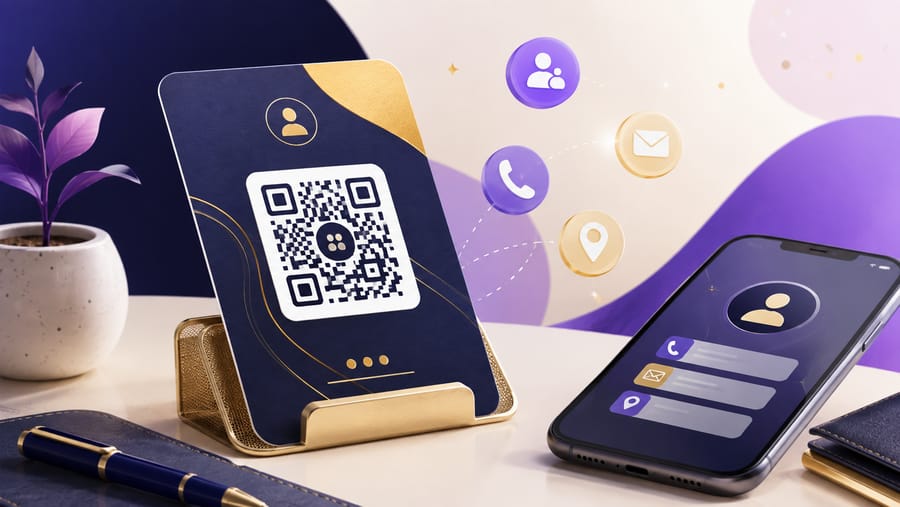
Enqre's vCard type is the second kind. The scan opens a clean page with your name, title and organisation, each detail on its own row with a copy button, and a Save contact button that downloads a standard vCard 3.0 file straight into the address book. Nothing to install, no app on either side.
Why the dynamic version wins on a printed card
- Your details will change. Title, mobile, company — over the life of a box of cards, something always does.
- The pattern stays coarse. A short link means fewer modules, larger cells, and a code that still scans at 2 cm on coated stock. A static vCard at the same size is a gamble.
- You can see whether anyone uses it. Scan counts tell you if the QR on your card earns its space — most people never find out.
- One card, many purposes. Between conferences you can repoint the same code at a portfolio, a booking page, or a specific campaign, then put it back.
What to put on it
The fields available are first and last name, organisation, job title, phone, email, website and address. A few practical notes:
- Phone in international format —
+386 1 234 5678. A local-format number saved by someone abroad is useless to them. - The email you actually read. Not the shared
info@mailbox, unless that genuinely is the intent. - Address only if it means something. A studio someone might visit, yes. A registered office that is your accountant's, no.
- Job title over department. "Head of Production" tells someone how to talk to you; "Production Division" does not.
Designing the card around the code
- Minimum 2 cm square on a standard card, with a clear margin of about four modules around it. Business cards are the single most common place people print a code too small and too tight.
- Keep the contrast. Dark code on light stock. A pale grey code on cream paper photographs beautifully and scans badly.
- Beware of finishes. Spot UV, foil and heavy gloss over a code cause glare under office lighting. Matt laminate is safe; uncoated is safest.
- Never print it across a fold or a bleed edge. The quiet zone gets eaten and the corner finder pattern goes with it.
- Add three words of instruction — "Scan to save my contact". A bare code on a card gets ignored, because nobody knows whether it leads to a vCard, a website or a LinkedIn profile.
- Back of the card, not the front, unless the code is the point. Fronts are for names.
Beyond the card
The same code is useful anywhere your details need to be captured without typing: an email signature, the last slide of a talk, a conference badge, a trade-show backdrop, the door of a workshop, a delivery van. For a talk, put it at the bottom of the closing slide and leave it on screen while you take questions — that is the only moment when a whole room genuinely wants your contact details.
Honest limits
Worth knowing before you design around it:
- No photo. The contact page shows your initial, not a portrait. If a headshot matters to your work, put it on the printed side of the card.
- One phone and one email. There is no separate office and mobile line — pick the one you want to be reached on.
- Social profiles are a different type. A vCard is for contact details; if you need a set of links, a link-page code does that job better.
- Saving requires the person to tap. The scan opens the page; the contact is saved on the next tap. This is the trade you make for being able to correct it later.
With Enqre you can create a vCard code, edit the details after the cards are printed, style it to match the card, and export SVG or a print-ready PDF for your printer.
Frequently asked questions
Does the person need an app to scan it?
No. The built-in camera on any current iPhone or Android opens the link. The contact page is an ordinary web page and the saved file is a standard vCard, so the phone's own address book handles it.
Can I change my phone number after printing the cards?
Yes, with a dynamic code — that is its whole purpose. Edit the field and every card already in circulation delivers the new number. A statically encoded vCard cannot be changed at all.
Do QR business cards work offline?
A dynamic one needs a connection at the moment of scanning, since it fetches the contact page. A static vCard works with no signal but can never be corrected. At a conference with weak Wi-Fi that matters — which is a good reason to keep readable contact details printed on the card as well.
Should I still print my details on the card?
Yes. The code is a convenience, not a replacement. Name, role and email in readable type; the code for everything else and for one-tap saving.
Want the code itself? Build one free with the vCard QR code generator — enter your details and download a print-ready code, no account needed.
The Enqre Team·Published on 6/27/2026·Updated 8/10/2026