Most QR codes that fail in the real world are not broken — they are simply too small for the distance people scan them from, or printed without the margin the standard requires. This guide gives you the sizing rule, a table of practical sizes, and the handful of print details that decide whether a code scans on the first try.
The 10:1 rule
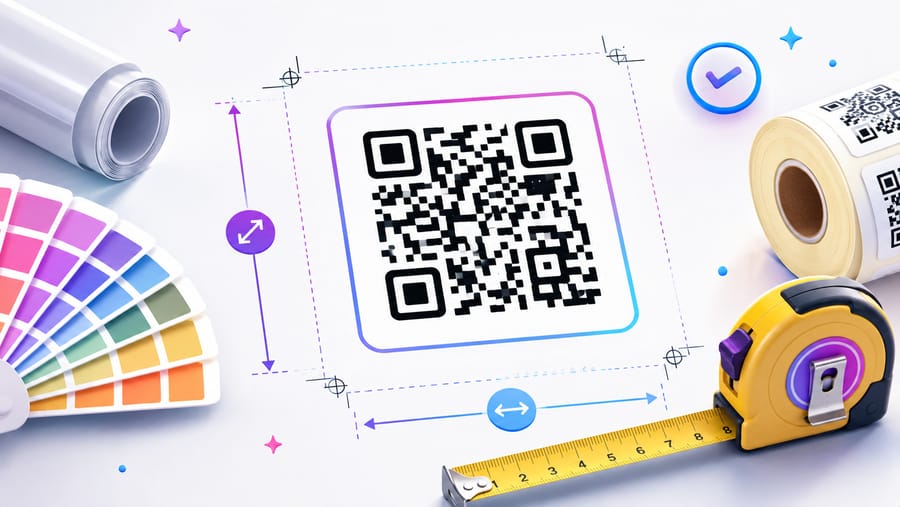
The working rule of thumb: a code should be at least one tenth of the distance it is scanned from. Scanning from 30 cm means at least 3 cm wide. Scanning from 3 m means at least 30 cm. Treat it as a floor, not a target — going 20–30 % larger costs almost nothing and buys you tolerance for bad light, shaky hands and cheap cameras.
Practical sizes
- Business card: 2 × 2 cm, scanned in the hand. Do not go below 1.5 cm.
- Flyer, menu, table tent: 2.5–3 cm, scanned from roughly 30 cm.
- Product packaging: 2–3 cm, but leave room for the quiet zone on cramped labels.
- A4 poster: 4–5 cm, comfortable from about half a metre.
- Shop window or A2 poster: 8–10 cm, for passers-by a metre away.
- Billboard or building wrap: 30 cm and up — and remember cars pass in seconds.
Leave the quiet zone
The specification requires a clear margin around the pattern — four modules wide, a module being one small square. Designers routinely crop it to save space, and that single decision breaks more codes than anything else. Keep the border empty: no text, no logo, no photo bleeding into it.
Shorter data means a bigger pattern
The more you encode, the more modules the code needs, and the smaller each module becomes at a given physical size. A long URL with tracking parameters produces a dense grid that struggles when printed small.
This is where a dynamic code helps: it encodes a short redirect link instead of the full destination, so the pattern stays coarse and legible even at 2 cm — while the real target, with all its UTM parameters, lives on the server where you can change it.
Error correction: the trade-off
QR codes carry redundant data so they still scan when damaged. Level L recovers about 7 %, M about 15 %, Q about 25 %, H about 30 %. Higher levels are not automatically better for print: the extra redundancy adds modules, making each one smaller at the same physical width.
- Use H when a logo covers the middle, or the code will live somewhere it gets scuffed, wet or sun-bleached.
- Consider M or Q for a very small print with no logo — you get a coarser, more forgiving grid.
Contrast, colour and material
- Dark pattern on a light background. Inverted codes work on some scanners and fail on others — do not risk it in print.
- Real contrast, not just different hues. Pastel on white or two mid-tones read as one shade to a camera.
- Matte over glossy. Gloss and lamination throw glare straight back into the lens.
- Avoid strong curves. On bottles and cups, keep the code on the flattest area available.
- Mind the ink. On absorbent stock, ink spread thickens modules; ask the printer for a proof rather than guessing.
Export the right file
Send vector to print: SVG or PDF scales to any size without softening. If a raster is unavoidable, export at 300 DPI at final size — never scale up a screenshot or a web PNG, which turns crisp module edges into grey mush.
Enqre exports PNG, SVG and a print-ready PDF sized in millimetres, so the file you hand to a printer is already at the physical dimensions you intend.
Test before the print run
Print one proof at final size on the actual material and scan it from the real distance — with an iPhone camera, an Android camera, and one dedicated scanner app. Try it in the lighting the code will actually live in: a dim restaurant, a sunlit window, a fluorescent-lit corridor. Five minutes here saves a reprint.
Frequently asked questions
What is the smallest a QR code can be?
Around 2 cm is the practical floor for phone scanning; roughly 1.5 cm can work with short data, high contrast and a code held in the hand. Below that you are relying on luck and on the scanner's camera.
Why won't my small QR code scan?
Usually one of four things: too much data crammed into it, a missing quiet zone, weak contrast, or upscaling from a low-resolution image. Shorten the data, restore the margin, and re-export as vector.
Can I resize a QR code after printing the design?
You can resize the artwork if it is vector, without any loss. What you cannot do is change what a static code points to — a dynamic code lets you change the destination while the printed pattern stays exactly as it is.
Does adding a logo make the code harder to scan?
A modest logo in the centre is fine because error correction covers it. Keep it under roughly a quarter of the width, use level H, and always test the result before printing.
Not sure yours will scan? Upload it to our free QR code scan checker — it decodes the image and flags contrast, quiet-zone and size problems before you print.
The Enqre Team·Published on 6/24/2026·Updated 8/10/2026