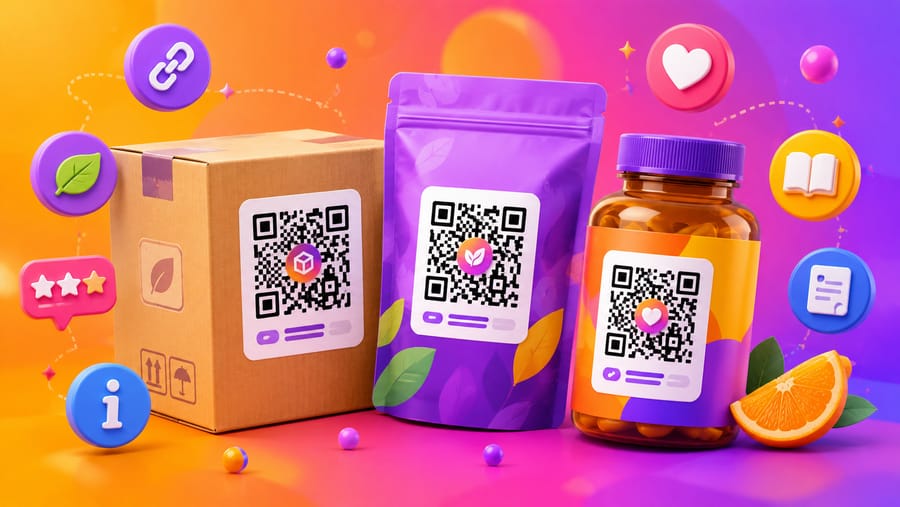
Packaging is the hardest place to put a QR code and the most valuable. Hardest, because a label is printed in runs of tens of thousands, on curved or reflective material, at whatever size the designer had left over. Most valuable, because it is the only channel that reaches a customer at the exact moment they are holding your product.
Why packaging in particular needs a dynamic code
Labels have long lead times and longer shelf lives. A jar produced this spring can be in someone's cupboard three years from now. If the code encodes a URL directly, that URL has to remain valid for the entire life of the print run — through a site migration, a rebrand, a campaign that ended, a page that got deleted in a CMS cleanup.
A dynamic code moves that risk off the packaging: the printed pattern never changes, the destination does. Practically, this means:
- Seasonal content on permanent packaging. A recipe in autumn, a promotion at Christmas, a care guide in between — same printed label.
- Corrections without a recall. A wrong link on 50,000 units is a fix, not a write-off.
- You learn what the packaging does. Scan counts per SKU tell you whether anyone engages with the pack at all — the one number traditional packaging never gives you.
What is worth putting behind the scan
The bar is simple: does this need more space than the label has, or does it change over time? If neither, print it and skip the code.
- Full ingredient and allergen detail, at a legible size, in more than one language — the classic case where a label physically runs out of room.
- Provenance: the farm, the mill, the batch, the date. Concrete and specific beats "sustainably sourced".
- How to use it. Assembly, dosage, dilution, cooking, aftercare. A short video here prevents the support email.
- Disposal and recycling for the actual local rules, which differ per country and change more often than your packaging does.
- Authenticity checks for products that get counterfeited, using per-unit serials.
- Reordering — for consumables, a direct path back to purchase is the highest-converting thing you can put on a pack.
What is not worth it: your homepage. A code that dumps someone on a generic front page after they scanned a jar of jam teaches them not to scan the next one.
GS1 Digital Link and the GTIN
Retail packaging already carries a barcode with a GTIN — the number identifying the product. GS1 Digital Link is the standard for expressing that same identity as a web URL, so one 2D code can serve both the checkout and the customer. The canonical form puts the identifiers in the path:
https://id.gs1.org/01/09506000134352/10/BATCH42/21/00001
Here 01 is the GTIN, 17 an expiry date, 10 a batch or lot, and 21 a unit serial number. Because batch, expiry and serial are part of the identity, a single format covers consumer information, traceability and stock control.
This matters commercially because of GS1's Sunrise 2027 initiative, an industry effort to have retail point-of-sale systems able to read 2D barcodes by the end of 2027. Readiness varies a great deal by retailer and by country, so treat it as a direction of travel rather than a deadline you can plan a print run around — but the direction is clear, and packaging designed now will live into it.
Where Enqre fits, stated plainly: the GS1 type takes a GTIN (8–14 digits) plus optional batch, expiry and serial, and either forwards the scan to your product page or shows a product-information page displaying those values together with the canonical GS1 Digital Link. It is a consumer-facing product code, not a certified GS1 resolver — the printed pattern contains an Enqre short link, which is what makes it editable, and not the canonical GS1 URI. If your goal is a barcode that replaces the EAN at the checkout, that has to be issued as a proper GS1 Digital Link through GS1 in your country. For everything on the consumer side of the label, the dynamic code is the more practical tool.
Printing it so it actually scans
Packaging is where codes fail most often, and nearly always for physical reasons.
- Size against the reading distance. Roughly a tenth of the distance the phone will be held at — about 2 cm for something read at arm's length, and never below 1.5 cm on a small label.
- Curvature. On a bottle or a tube, keep the code within a strip narrow enough to stay nearly flat — as a rule of thumb, under a third of the circumference. On a 30 mm-diameter tube, a 25 mm code wraps too far and the camera cannot resolve the far edge.
- Foil, metallised film and gloss varnish reflect straight into the lens. Print the code in a matt-varnished window, or leave a plain white patch for it.
- Dark packaging. An inverted code (light on dark) reads on many phones but not all. Safer: a light panel with a dark code inside it.
- Ink spread on flexible film and corrugated board. Modules bleed into each other; the smaller the code, the worse it gets. Go a size up, and let the printer's proof decide.
- Quiet zone. Four modules of clear space, and nothing in it — no ingredient text, no fold, no seam, no seal.
- Error correction. Level H tolerates damage and a logo but adds pattern density. On a small label, level M or Q with a shorter link often reads better than H crammed into the same space. Keep H when the pack is likely to scuff or when the code carries a logo.
- Test on the real thing. Not on screen and not on a proof sheet — on the actual filled, sealed, wrapped item, under shop lighting, with an old phone as well as a new one.
What to write next to it
A bare code on a pack is a shrug. Three words earn scans: "Scan for recipes", "Scan for ingredients", "Where this came from". Tell people what they get and the scan rate changes materially — the code competes with everything else on the label, and only a promise wins that competition.
One code per SKU, at least
It is tempting to put one code on the whole range. Resist it: per-SKU codes tell you which product people actually engage with, and let each one lead somewhere specific. Per-batch codes go further and make traceability real. If you are printing variable data anyway, per-unit serials open up authenticity checks and warranty registration.
Enqre supports GTIN-based GS1 codes with batch, expiry and serial, editable destinations for print runs already in circulation, per-code scan analytics, bulk generation from CSV for a whole catalogue, and SVG or print-ready PDF export for your packaging supplier.
Frequently asked questions
Can one QR code replace the barcode on my packaging?
Eventually, that is the intent of GS1 Digital Link and the Sunrise 2027 initiative — but only once the retailers you sell through can scan 2D at the till, and that varies widely today. For now, plan to carry both: keep the existing barcode for checkout, add the 2D code for the customer.
How small can a code on a label be?
About 1.5 cm is the practical floor on paper labels, and only with a short link and clean printing. Below that, ink spread and phone focus distance start deciding for you. Shortening the encoded data helps more than any other single change, because it lowers the module count.
Do I need a GS1 membership to use a QR code on packaging?
Not for a consumer-facing code that opens a page you control. You need a GS1-issued GTIN — which you likely already have if you sell through retail — for anything that identifies the product in the supply chain, and a proper GS1 Digital Link if you want it read at point of sale.
Can I change where the code goes after the packaging is printed?
With a dynamic code, yes — that is the main reason to use one on packaging, where the print run is large and the shelf life long. With a static code the destination is fixed in the pattern forever, so a dead link means dead packaging.
The Enqre Team·Published on 6/28/2026·Updated 8/7/2026