Comment créer un QR code « ajouter au calendrier »
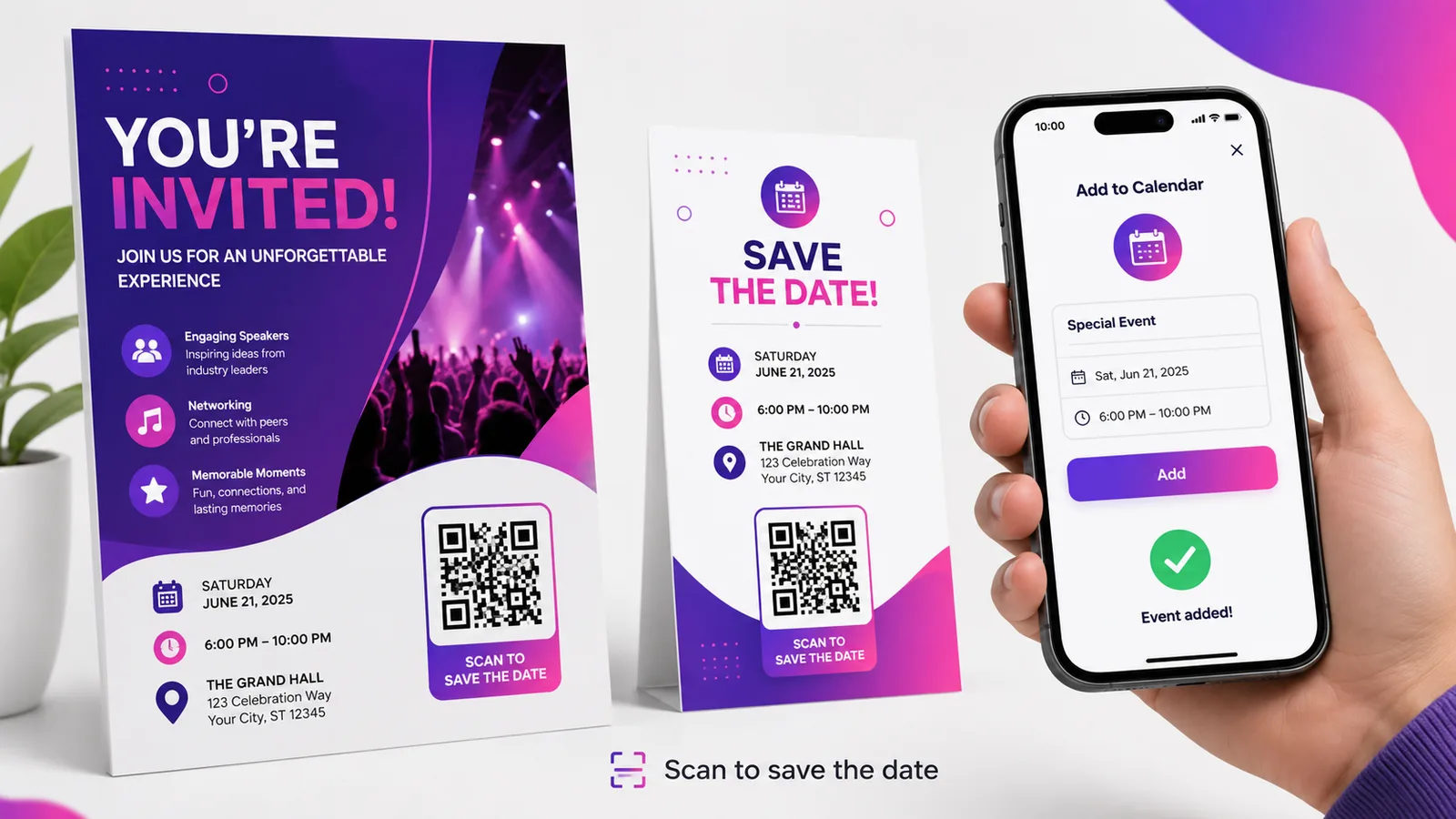
Un code « ajouter à l’agenda » transforme une invitation en entrée d’agenda d’un seul geste, et c’est la différence entre un événement où les gens comptaient venir et un événement où ils sont venus. Deux choses décident si cela fonctionne : le fuseau horaire, et le fait d’intégrer l’événement ou d’y renvoyer.
Intégrer l’événement ou y renvoyer
Il y a deux constructions possibles, et elles se comportent très différemment.
Vous pouvez mettre l’événement lui-même dans le code, sous forme de texte iCalendar — le bloc VEVENT avec un titre, un début, une fin et un lieu. Cela fonctionne hors ligne, puisqu’il n’y a rien à aller chercher. Mais la prise en charge est inégale : certains téléphones reconnaissent le contenu et proposent de l’ajouter, d’autres affichent simplement un mur de texte brut, ce qui ressemble à une panne pour la personne qui tient l’appareil. Vous ne saurez dans quel cas vous êtes qu’en testant.
Ou vous pouvez pointer le code vers un fichier .ics hébergé ou une page d’événement. Cela demande une connexion, mais le comportement est constant : le téléphone télécharge un fichier d’agenda et propose de l’ajouter, exactement comme toute invitation reçue par e-mail aujourd’hui. Et les informations restent corrigeables après impression.
Pour tout ce qui s’adresse au public, renvoyez. N’intégrez que si vous maîtrisez les appareils, ou si le réseau du lieu est vraiment douteux et que l’échange en vaut la peine.
C’est sur le fuseau horaire que cela casse
Un événement avec une heure de début et sans fuseau horaire est interprété dans le fuseau où se trouve le téléphone du lecteur. Pour une fête au coin de la rue, c’est invisible et sans conséquence. Pour un webinaire, une conférence ou un mariage avec des invités qui prennent l’avion, cela place l’événement à la mauvaise heure dans l’agenda d’une partie des gens — et ne prévient personne.
Assurez-vous que l’événement porte un fuseau horaire explicite, et si le public est international, indiquez aussi le fuseau dans le texte imprimé. Une entrée dont la description dit « 14 h 00 CET » survit à un import raté ; une qui dit seulement « 14 h 00 » non.
Testez-le correctement : changez le fuseau horaire de votre propre téléphone, scannez le code, et regardez ce qui atterrit dans l’agenda. Cela prend deux minutes et c’est le seul moyen d’en être sûr.
Ce qui voyage et ce qui ne voyage pas
Le titre, le début, la fin, le lieu et la description entrent dans l’entrée. Le lieu mérite attention : une entrée d’agenda dont le lieu est une adresse complète et sans ambiguïté devient un itinéraire cliquable le jour venu, et c’est là l’essentiel de l’intérêt pratique de la chose.
Les rappels ne voyagent pas de façon fiable. Une alerte que vous définissez est une suggestion que la plupart des agendas remplacent par les préférences de leur propriétaire : ne comptez donc pas dessus pour amener qui que ce soit quelque part. L’entrée ne se met pas non plus à jour ensuite : une fois dans l’agenda de quelqu’un, c’est sa copie, et modifier votre source n’y change rien.
Raison pour laquelle la date ne devrait pas bouger
Ce dernier point mérite qu’on s’y arrête. Contrairement à un menu ou à une page de destination, une entrée d’agenda est copiée, pas référencée. Corrigez la date après coup et les cent personnes qui ont déjà scanné gardent l’ancienne.
Un code dynamique aide donc moins ici qu’ailleurs : il protège ceux qui scannent après le changement, pas ceux qui ont scanné avant. Il reste utile sur ce qui s’imprime tôt, puisqu’il permet de pointer le code vers un événement corrigé et vous dit combien de personnes l’ont ajouté. Mais si l’horaire bouge vraiment, il faut prévenir directement, par e-mail, ceux qui l’ont déjà.
Où il a sa place
Sur tout ce qui s’imprime pour une date précise : invitations et faire-part, programmes de conférence et signalétique de salle, cartes de rendez-vous d’un cabinet ou d’un salon, affiches pour un événement unique. Il vaut le plus là où l’écart entre la lecture et la venue laisse le temps d’oublier — et c’est précisément là que vivent les mariages et les événements.
Il ne vaut rien sur ce qui se lit à l’écran, où un lien « ajouter à l’agenda » ordinaire fait le même travail avec un appareil de moins.
Questions fréquentes
Le scan ajoute-t-il l’événement automatiquement ?
Non. Le téléphone propose de l’ajouter avec tout déjà rempli, et la personne confirme. Cette confirmation est délibérée : rien n’écrit dans un agenda sans l’accord de son propriétaire, et aucun QR code ne peut le contourner.
Faut-il intégrer le .ics ou y renvoyer ?
Y renvoyer, pour tout public. Un contenu iCalendar intégré fonctionne hors ligne mais est traité de façon inégale selon les téléphones, et là où il n’est pas reconnu, la personne voit du texte brut au lieu d’une invitation. Un fichier hébergé se comporte partout pareil.
Pourquoi l’événement est-il tombé à la mauvaise heure pour certains ?
Parce que l’événement ne portait pas de fuseau horaire explicite et que chaque téléphone a appliqué le sien. Attachez un fuseau à l’événement, et pour un public international imprimez aussi l’heure et le fuseau en texte, pour qu’un import erroné se voie au lieu de rester silencieux.
Puis-je changer la date après que des gens ont scanné ?
Pas pour eux. Une entrée d’agenda est une copie faite au moment du scan, pas un lien vivant, et elle ne se met jamais à jour. Un code dynamique corrige les informations pour tous ceux qui scannent ensuite ; ceux qui l’ont déjà ajouté doivent être prévenus directement.
Cela fonctionne-t-il sur iPhone et Android ?
Oui, si vous renvoyez vers un fichier d’agenda hébergé : les deux proposent de l’ajouter, dans Calendrier ou dans Google Agenda. Les événements intégrés sont le cas peu fiable. Créez-en un gratuitement et testez sur les deux avant d’imprimer quoi que ce soit.
L’équipe Enqre·Publié le 12/08/2026·Mis à jour 17/09/2026