Published on 8/12/2026
How to Add a QR Code to Your Resume (CV)
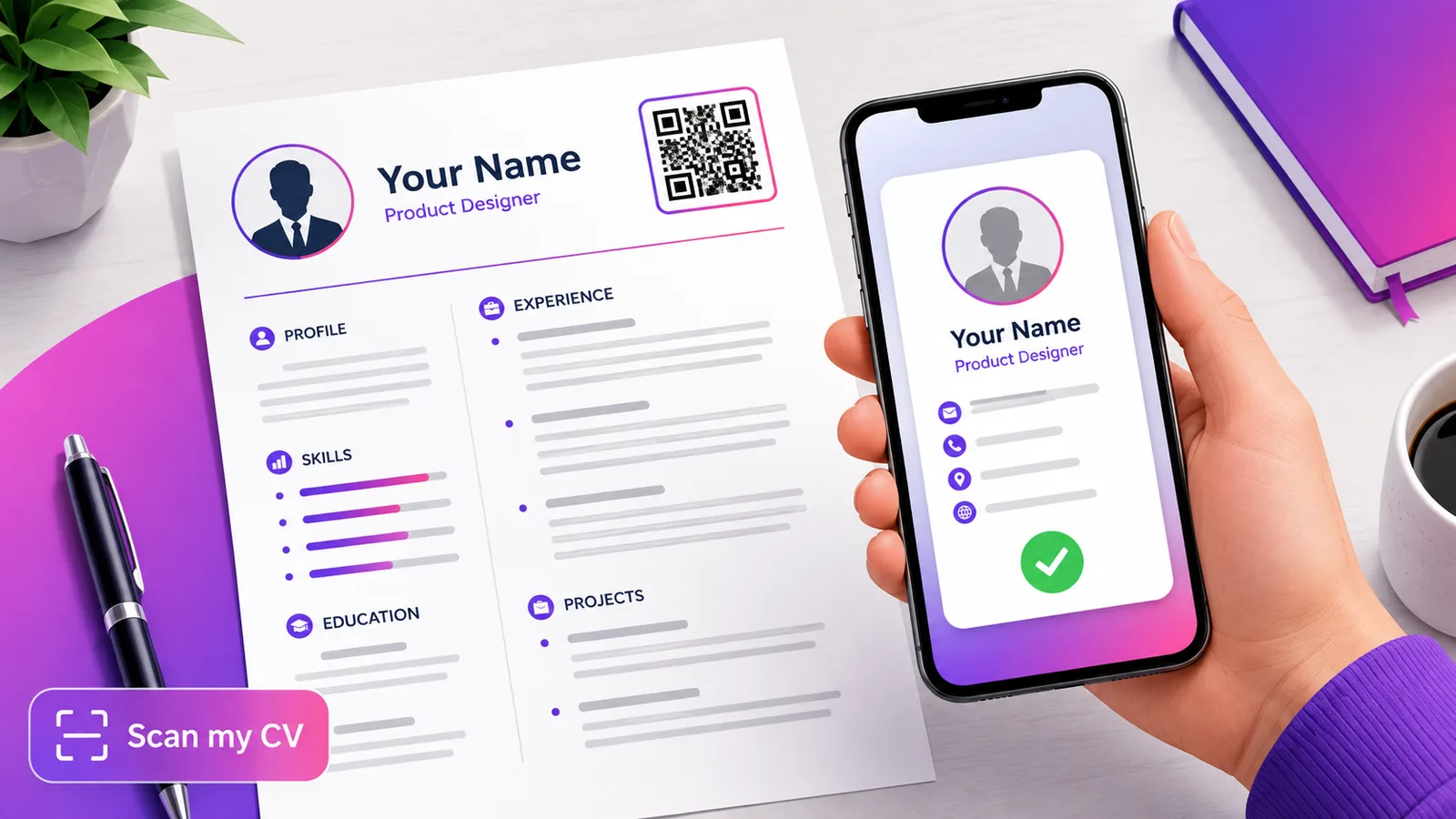
A QR code on your resume turns a printed page into one tap: a recruiter points their phone and lands on your portfolio, your LinkedIn or a saved contact card, instead of retyping a long URL. Here is what the code should link to, how to make it scannable, and where to put it.
What should the QR code link to?
Pick one clear destination — do not make the recruiter choose:
- Your portfolio or personal site — the strongest choice, because it shows your work, not just your name.
- Your LinkedIn profile — see QR codes for LinkedIn.
- A contact card — a vCard QR code saves your name, phone, email and links to their contacts in one scan, so nothing gets mistyped.
If you genuinely need several of these, point the code at a simple link hub rather than cramming two codes onto the page.
How to make it
Turn your chosen link into a QR code and download it. For the contact-card route, the free vCard generator builds one from your details in seconds — no account needed.
Where to put it on the resume
Place it in the header, next to your name and contact line, at about 2 × 2 cm, with a short label like "Scan for portfolio". Keep a clear light margin around it and do not let text or a border crowd the edges — that blank space is part of the code.
Make sure it actually scans in print
The most common resume-QR mistake is a code that looks fine on screen and fails on paper. Keep it dark on a light background, do not shrink it too far, and — before you send anything — export the PDF, print it, and scan it with a real phone. You can check the design first with the free contrast checker, and confirm an exported image decodes with the scan checker.
Static or dynamic?
A resume is re-sent each time, so a static code to a stable URL is usually fine. A dynamic code adds two things worth having: you can change the destination — a new portfolio, a new role — without editing copies already out there, and you can see how many recruiters actually scanned it. Create one free.
Frequently asked questions
Where should the QR code go on a resume?
In the header near your name and contact details, small and clearly labelled, with a clean margin around it. It should read as an optional shortcut, not a centrepiece.
What should my resume QR code link to?
Your portfolio or personal site first, because it shows your work. LinkedIn or a vCard contact card are good alternatives; pick one, not all three.
Will a QR code scan from a printed resume?
Yes, if it is high-contrast and about 2 cm or larger. Always print a test copy and scan it, since a code that works on screen can still fail at small print sizes.
Should I use a QR code or just write the URL?
Both. Keep the URL as text so an applicant-tracking system and anyone reading a digital copy can use it, and add the QR for a human holding the paper.
Does a QR code look unprofessional on a CV?
Not when it is small, clean and purposeful. Label it so it is obviously optional, and point it at something that helps your case — a portfolio beats a bare profile link.
Build a contact-card QR for your CV in a minute — use the free vCard generator, or create a dynamic code you can update and track.