Como fazer um código QR de «adicionar ao calendário»
Um código de «adicionar ao calendário» transforma um convite numa entrada na agenda com um toque, que é a diferença entre um evento a que as pessoas tencionavam ir e um evento a que foram. Duas coisas decidem se funciona: o fuso horário, e se o evento vai embebido ou é apenas ligado.
Embeber o evento, ou ligar a ele
Há duas formas de construir isto e comportam-se de maneira muito diferente.
Pode pôr o próprio evento dentro do código, em texto iCalendar — o bloco VEVENT com um título, um início, um fim e um local. Funciona offline, porque não há nada para ir buscar. Mas o suporte é desigual: alguns telemóveis reconhecem a carga e propõem adicioná-la, e outros limitam-se a mostrá-la como uma parede de texto simples, o que parece avariado a quem tem o telemóvel na mão. E só descobre com qual dos dois está a lidar depois de testar.
Ou pode apontar o código para um ficheiro .ics alojado ou para uma página do evento. Isto precisa de ligação, mas comporta-se de forma consistente — o telemóvel transfere um ficheiro de calendário e propõe adicioná-lo, tal como já acontece com qualquer convite enviado por e-mail. Significa também que os detalhes podem ser corrigidos depois de imprimir.
Para tudo o que sai para o público, ligue. Embeba só quando controlar os aparelhos, ou quando o sinal do local for genuinamente duvidoso e a troca compensar.
É no fuso horário que isto corre mal
Um evento com hora de início e sem fuso horário associado é interpretado no fuso em que estiver o telemóvel de quem lê. Para uma festa local isso é invisível e inofensivo. Para um webinar, uma conferência, ou um casamento com convidados a chegar de avião, põe o evento na hora errada das agendas de algumas pessoas e não avisa ninguém.
Garanta que o evento leva um fuso horário explícito e, se o público for internacional, ponha o fuso também no texto impresso. Uma entrada que diz 14:00 CET na descrição sobrevive a uma importação má; uma que diz apenas 14:00 não sobrevive.
Teste como deve ser: mude o fuso do seu próprio telemóvel, leia o código e veja o que aterra no calendário. Demora dois minutos e é a única maneira de ter a certeza.
O que viaja e o que não viaja
O título, o início, o fim, o local e a descrição entram na entrada. O local merece atenção — uma entrada de calendário cujo local é uma morada completa e inequívoca torna-se um percurso a um toque no próprio dia, que é a maior parte do valor prático de fazer isto.
Os lembretes não viajam de forma fiável. Um alerta que defina é uma sugestão que a maioria dos calendários substitui pelos valores por omissão do utilizador, por isso não conte com ele para levar seja quem for a lado nenhum. A entrada também não se atualiza sozinha mais tarde: depois de estar no calendário de alguém, é a cópia dessa pessoa, e alterar a sua fonte não lhe muda nada.
E é por isso que a data não deve mexer
Este último ponto merece demora. Ao contrário de uma ementa ou de uma página de destino, uma entrada de calendário é copiada, e não referenciada. Corrija a data depois e as cem pessoas que já leram continuam com a antiga.
Por isso um código dinâmico ajuda aqui menos do que noutros sítios — protege quem lê depois da alteração, não quem leu antes dela. Continua a valer a pena tê-lo em tudo o que é impresso cedo, porque permite ao código apontar para um evento corrigido e diz-lhe quantas pessoas o adicionaram. Mas se a hora mudar mesmo, tem de avisar as pessoas que já a têm, por e-mail, à maneira normal.
Onde é que isto pertence
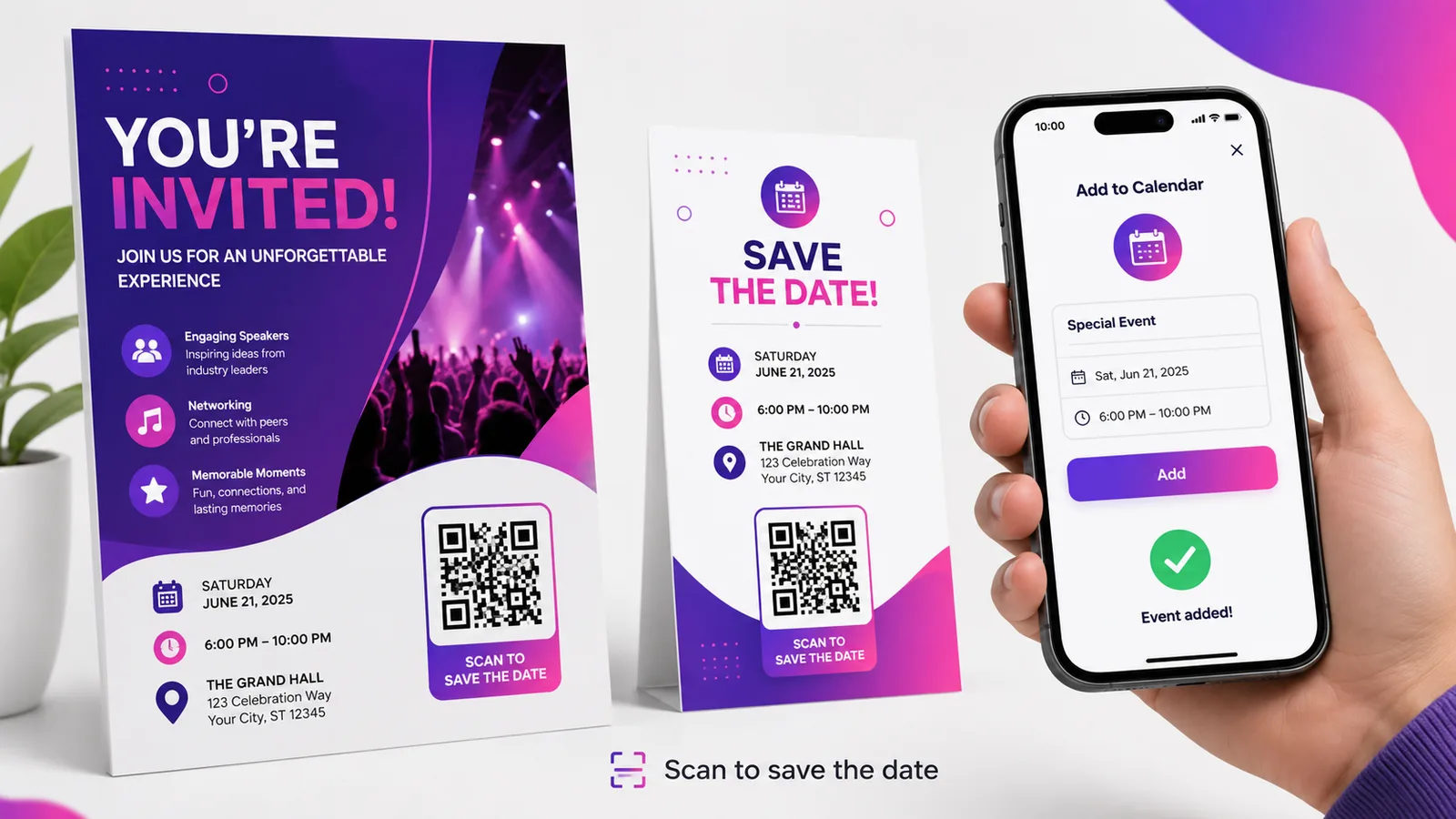
Em tudo o que é impresso para uma data concreta: convites e avisos de reserva de data, programas de conferência e sinalética de sessões, cartões de marcação de uma clínica ou de um cabeleireiro, cartazes de um acontecimento único. Vale mais onde o intervalo entre ler e comparecer é longo o suficiente para se esquecer — que é exatamente onde vivem os casamentos e os eventos.
Não vale absolutamente nada em algo que se lê num ecrã, onde uma ligação normal de «adicionar ao calendário» faz o mesmo trabalho com menos um aparelho pelo meio.
Perguntas frequentes
Ler o código adiciona o evento automaticamente?
Não. O telemóvel propõe adicioná-lo já preenchido e a pessoa confirma. Essa confirmação é deliberada — nada escreve num calendário sem o dono concordar, e nenhum código QR consegue contorná-la.
Devo embeber o .ics ou ligar a ele?
Ligue a ele para qualquer público geral. Uma carga iCalendar embebida funciona offline mas é tratada de forma inconsistente entre telemóveis, e onde não é reconhecida a pessoa vê texto em bruto em vez de um convite. Um ficheiro alojado comporta-se da mesma maneira em todo o lado.
Porque é que o evento aterrou à hora errada para algumas pessoas?
Porque o evento não levava fuso horário explícito, e por isso cada telemóvel aplicou o seu. Associe um fuso ao evento e, para públicos internacionais, imprima também a hora e o fuso em texto, para que uma importação má seja evidente em vez de silenciosa.
Posso mudar a data depois de as pessoas terem lido o código?
Para elas, não. Uma entrada de calendário é uma cópia feita no momento da leitura, e não uma ligação ao vivo, por isso nunca se atualiza. Um código dinâmico corrige os detalhes para toda a gente que leia daí em diante, mas a quem já o adicionou tem de se dizer diretamente.
Funciona tanto em iPhone como em Android?
Funciona, quando se liga a um ficheiro de calendário alojado — ambos propõem adicioná-lo, ao Calendário da Apple e ao Google Calendar respetivamente. As cargas de evento embebidas é que são o caso pouco fiável. Crie um grátis e teste-o nos dois antes de imprimir seja o que for.
A equipa Enqre·Publicado a 12/08/2026·Atualizado 19/09/2026