Como fazer um código QR para o Spotify
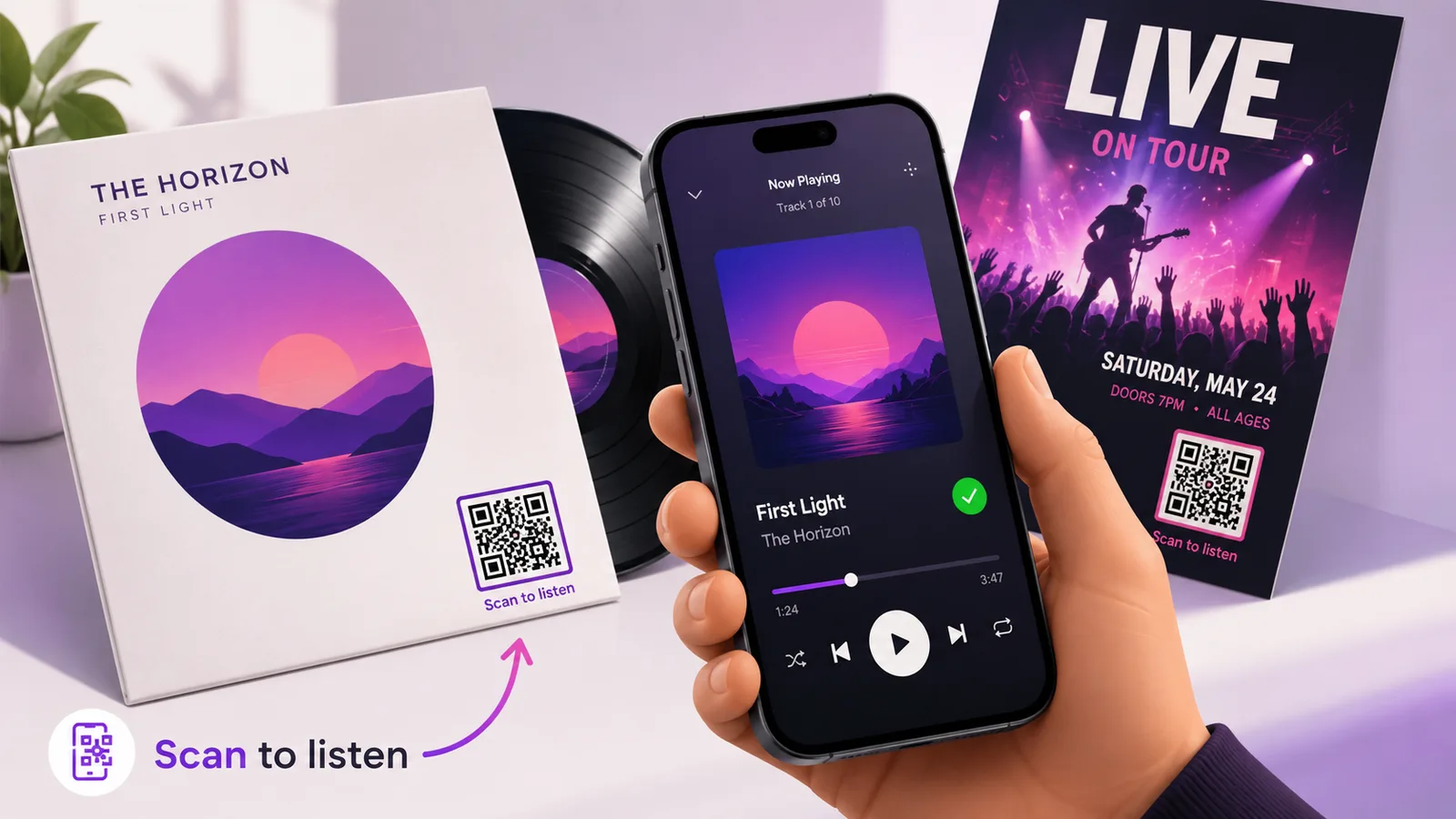
O Spotify dá-lhe um código próprio, e é o código errado para imprimir. Os Spotify Codes só se leem dentro da câmara do próprio Spotify, o que significa que funcionam para quem já tem a aplicação aberta e para mais ninguém. Um código QR construído a partir da ligação de partilha abre em qualquer câmara de telemóvel, em qualquer telemóvel, esteja ou não o Spotify instalado.
Porque é que o Spotify Code não é o que se imprime
Um Spotify Code é aquela barrinha de pontos por baixo da capa, dentro da aplicação. Aponte-lhe uma câmara de telemóvel normal e não acontece nada — nem aviso, nem erro, apenas uma câmara a olhar para uma imagem. É um atalho entre duas pessoas que já estão ambas dentro do Spotify e, num cartaz ou numa capa de disco, é exatamente o pressuposto errado. Um código QR não assume nada disso: qualquer câmara o lê, e quem não tem a aplicação aterra no leitor web ou na página da loja, em vez de num beco sem saída.
Copie a ligação e depois apague-lhe metade
Toque nos três pontos de uma faixa, álbum, artista, lista ou episódio, depois em Partilhar e depois em Copiar ligação. O que vai parar à área de transferência é algo assim:
open.spotify.com/track/4cOdK2wGLETKBW3PvgPWqT?si=8f2c41d9b0e4
Tudo o que vem a partir de ?si= é a etiqueta de rastreio de partilhas do próprio Spotify, e é peso morto num código QR. Corte-a. Não perde nada — a ligação abre exatamente a mesma coisa — e poupa cerca de um quarto dos caracteres que o código tem de levar, o que significa menos módulos, quadrados mais gordos, e um código que sobrevive a ser impresso em pequeno. Se isto vai para um encarte de capa ou para uma etiqueta de gargalo de garrafa, essa diferença é o jogo todo.
Aponte-o para aquilo que ainda vai existir para o ano
A ligação para uma faixa é a escolha óbvia e normalmente a errada. Os singles acabam dobrados em álbuns, as listas são refeitas, e o cartaz continua na parede. A página do artista é a ligação que não apodrece.
A exceção é quando a coisa concreta é o objetivo — um single que anda a empurrar este mês, um episódio de um podcast, uma lista feita para uma sala em particular. Aí ligue diretamente, e faça o código dinâmico para o poder passar para o álbum no dia do lançamento sem reimprimir nada.
Imprimi-lo
Há duas coisas que correm mal, e ambas se evitam.
A primeira é o contraste. A arte gráfica de música é escura, e um código QR pousado numa capa escura num cinzento ligeiramente mais claro é um código que se lê no estúdio e falha na loja. Mantenha-o escuro sobre claro e, se o design não permitir, dê-lhe um painel claro próprio em vez de andar a lutar com a arte.
A segunda é o acabamento. As capas de vinil e os encartes de CD são normalmente plastificados a brilhante, e o brilhante debaixo das luzes do teto de uma loja é um espelho. Mate, ou um verniz mate localizado por cima do código, não custa nada na fase de impressão e não se corrige depois. Há mais sobre isto em códigos QR em embalagens de produto.
Quando um código não chega
Os músicos quase nunca querem mandar as pessoas para um só sítio. Spotify, Apple Music, Bandcamp, as datas da digressão, o merchandising — um único quadrado num folheto não consegue fazer os cinco. É para isso que serve um agregador de ligações, e vale a pena lê-lo antes de fechar um design para impressão. O mesmo raciocínio se aplica se estiver a cruzar publicações do Instagram ou do YouTube.
Perguntas frequentes
Uma câmara de telemóvel normal consegue ler um Spotify Code?
Não. Os Spotify Codes só são lidos pela câmara dentro da aplicação do Spotify, a que se chega pela barra de pesquisa. A aplicação de câmara do próprio telemóvel não reconhece nenhum, e não diz à pessoa porquê.
É seguro apagar a parte ?si= de uma ligação do Spotify?
É. É uma etiqueta de origem de partilha que o Spotify acrescenta para ver por onde a ligação andou. A ligação resolve para a mesma faixa, álbum ou lista sem ela, e retirá-la torna o código QR bastante menos denso.
Devo usar o URI spotify: em vez da ligação https?
Não. spotify:track:… é um esquema só para a aplicação: abre o Spotify instantaneamente se a aplicação estiver instalada, e não faz absolutamente nada se não estiver. A ligação open.spotify.com resolve os dois casos, por isso é essa que se codifica.
O código funciona para quem não tem Spotify?
Funciona. Recebem o leitor web ou um convite para instalar a aplicação, consoante o telemóvel. De uma maneira ou de outra chegam à música em vez de a um ecrã em branco — que é a principal razão para usar um código QR em vez de um Spotify Code, à partida.
Posso mudar para onde aponta depois de as capas estarem impressas?
Só se o tiver feito dinâmico. Um código estático tem o URL cozido no padrão e não há como editá-lo. Um dinâmico mantém o quadrado impresso idêntico e deixa-o mudar o destino — uma ligação de pré-guardar antes do lançamento, a própria faixa depois, o álbum quando houver um. Crie um grátis se quiser essa opção antes de ir para a gráfica.
A equipa Enqre·Publicado a 11/08/2026·Atualizado 19/09/2026