Como pôr um código QR no currículo (CV)
Quase ninguém imprime o seu CV hoje em dia. Este único facto decide quase tudo o que se segue, porque um código QR num documento que está a ser lido num portátil é um código que ninguém consegue ler comodamente — e é a razão pela qual um QR num currículo tem de ser um acrescento a uma hiperligação normal, nunca um substituto dela.
Quem é que está mesmo com o papel na mão
Seja honesto quanto ao percurso do seu CV. É carregado num portal, analisado por software, lido num ecrã e reencaminhado em PDF. A cópia impressa aparece tarde, quando aparece — numa sala de entrevista, na secretária de um júri, numa feira de emprego.
Portanto o código serve para esse último troço, e só para esse. Em todo o resto é decorativo na melhor das hipóteses e, se for a única via para o seu portefólio, é ativamente prejudicial: quem lê num portátil não consegue ler o seu próprio ecrã sem pegar num segundo aparelho, e não vai pegar.
O que nos dá a regra de que o resto depende. Todos os destinos por trás do código têm também de aparecer como texto simples e clicável algures na página.
O sistema de recrutamento não o consegue ver
É esta a parte que custa entrevistas às pessoas. O software de triagem extrai texto. Um código QR é uma imagem, e uma imagem não contribui com nada — nem URL, nem palavras-chave, nada que possa ser indexado ou cruzado.
Se a ligação para o seu portefólio só existir dentro do código, então, no que toca à primeira passagem automática, não existe. Escreva o URL por extenso. O código é uma comodidade assente por cima de um documento que tem primeiro de sobreviver a ser lido por uma máquina.
Escolha um destino
Um código, um sítio. Uma página de quadrados a competir lê-se como truque, e um agregador de ligações que pede a um recrutador para escolher é uma decisão a mais do que aquelas que ele queria tomar.
O portefólio ou o site pessoal é a escolha mais forte, porque mostra trabalho em vez de o afirmar. O LinkedIn é a opção sensata por omissão para funções em que o perfil é o portefólio. Um vCard — nome, telefone e e-mail guardados com um toque — é a resposta certa apenas presencialmente, numa feira ou numa entrevista, onde o objetivo é ser contactado e não ser investigado.
Fazê-lo sobreviver à impressão
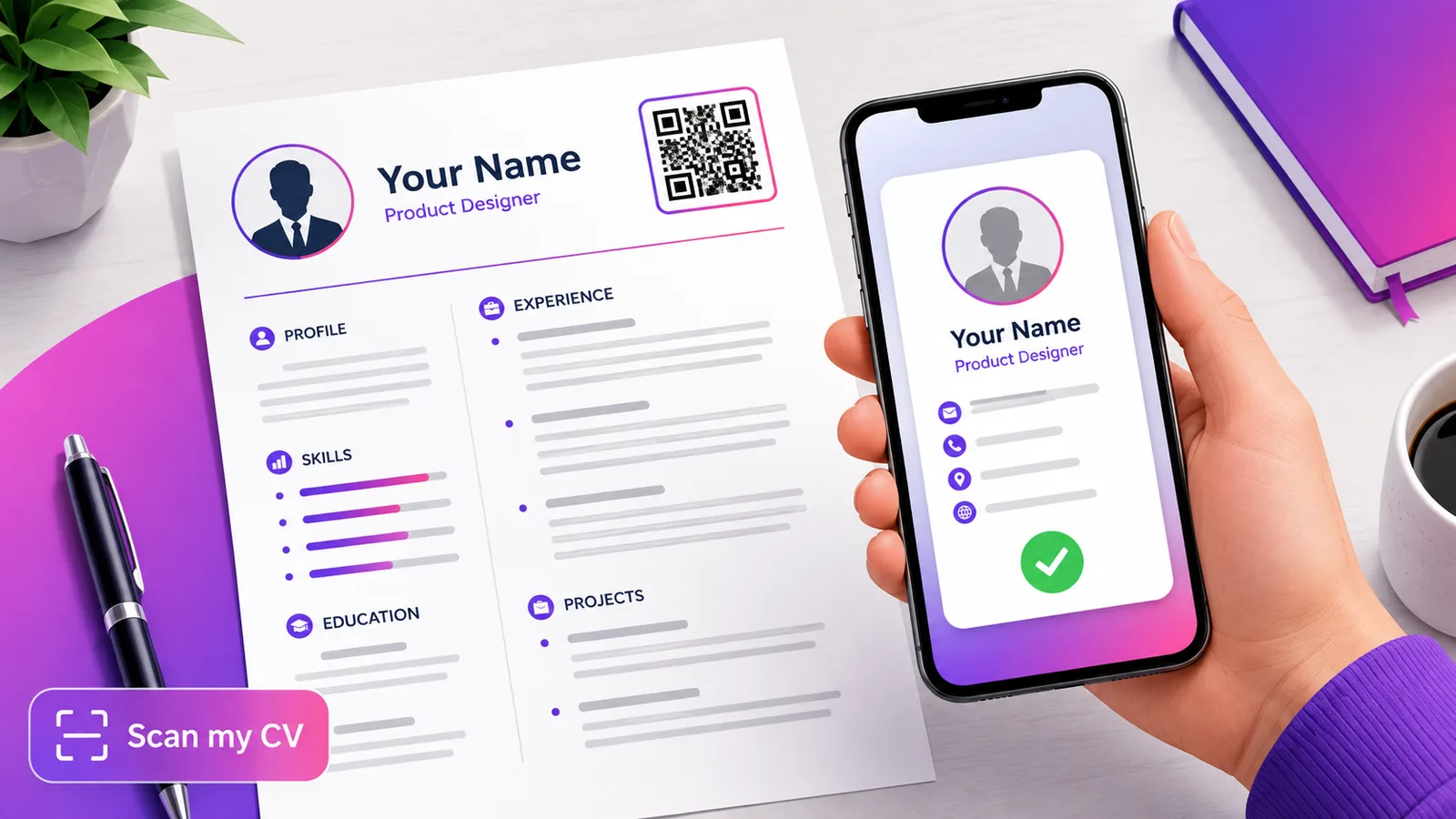
Cerca de 2 cm de lado no cabeçalho, ao lado da sua linha de contactos, com uma legenda curta — «Portefólio» chega. A legenda conta: um quadrado por explicar é um pequeno ato de mistério num documento que não devia ter nenhum.
Mantenha-o escuro sobre branco e não mexa na zona de silêncio. A margem em branco à volta do padrão faz parte do código, e um cabeçalho é exatamente o sítio onde ela fica apertada por um nome, um filete ou um contorno. Verifique o design com o verificador de contraste e confirme depois que o ficheiro exportado descodifica, com o verificador de leitura — e teste o PDF exportado a sério, não o design que estava a ver. Um código que estava bem a 100 % pode falhar depois de o PDF ser achatado e reduzido.
Estático, em quase todos os casos
Um CV é invulgar: depois de enviado, uma cópia foi-se. Fica em caixas de entrada e em sistemas de recrutamento durante anos, e não se consegue chamar de volta.
Isso é um argumento contra um código dinâmico, não a favor. Um código dinâmico é uma dependência de um serviço continuar a existir, e o modo de falha é um recrutador, daqui a dezoito meses, a ler um quadrado morto — pior do que não ter código nenhum. Aponte-o para um URL que controle e tencione manter, e deixe-o estático.
O argumento a favor do dinâmico é estreito mas real: se anda a distribuir cópias impressas em eventos e quer genuinamente saber se alguém as lê, ou se prevê mudar o portefólio de sítio e quer que as cópias já distribuídas o acompanhem, um código dinâmico faz isso. Só que seja uma decisão e não uma predefinição.
Perguntas frequentes
Um sistema de recrutamento consegue ler um código QR?
Não. O software de recrutamento analisa texto, e um código QR é uma imagem que não contém nenhum. Qualquer ligação que interesse — portefólio, LinkedIn, GitHub — tem também de estar escrita como texto, ou a passagem de triagem nunca a verá.
Um código QR num CV é pouco profissional?
Não é, se for pequeno, legendado e apontar para algo que ajude o seu caso. Lê-se mal quando é grande, por explicar, duplicado, ou usado em vez de escrever o URL — tudo coisas que sugerem que o documento foi desenhado e não escrito.
Onde deve ficar na página?
No cabeçalho, ao lado do nome e dos contactos, com cerca de 2 cm de lado. Dê-lhe espaço branco bem visível dos quatro lados; essa margem faz parte do código, e as maquetas de cabeçalho tendem a apertá-la com filetes e contornos.
Deve ser estático ou dinâmico?
Estático, normalmente. As cópias do seu CV ficam em caixas de entrada durante anos e não podem ser chamadas de volta, por isso um código que depende de um serviço continuar vivo é um risco com pouco a ganhar. Use dinâmico só se quiser contagens de leituras das cópias impressas, ou se contar mudar o destino.
E se o recrutador o ler num ecrã?
Então o código não lhe serve de nada, que é exatamente a razão pela qual as mesmas ligações têm de estar presentes como texto clicável normal. Trate o QR como um atalho para a minoria que tem papel na mão, e não como a forma de entregar as suas ligações.
A equipa Enqre·Publicado a 12/08/2026·Atualizado 19/09/2026