Como fazer um código QR para o seu perfil do LinkedIn
O LinkedIn tem um código QR perfeitamente bom incorporado na aplicação e, para conhecer alguém presencialmente, é a ferramenta certa. A pergunta que merece mais reflexão é se o LinkedIn é sequer o destino certo para um código que está prestes a imprimir em quinhentos cartões de visita.
O código incorporado, e para que serve de facto
Abra a aplicação do LinkedIn, toque na barra de pesquisa e toque no ícone de QR na extremidade direita. O seu código está em «O meu código»; o separador «Ler» lê o de outra pessoa.
É um código QR vulgar — qualquer câmara de telemóvel o lê e abre o seu perfil, e não apenas a aplicação do LinkedIn. Vale a pena dizê-lo porque muitas vezes é descrito como sendo só para a aplicação, e não é. O que ele genuinamente não consegue é levar a sua marca, dizer quantas pessoas o leram, ou apontar para outro sítio que não o seu perfil.
Para a finalidade a que se destina — duas pessoas frente a frente, uma delas a segurar um telemóvel — nada disso interessa. Use-o.
Arrume o URL do seu perfil antes de imprimir seja o que for
O LinkedIn dá a toda a gente um endereço por omissão com um sufixo aleatório, qualquer coisa como linkedin.com/in/joana-silva-a1b2c3d4. Pode alterá-lo em Editar perfil público e URL para o limpo linkedin.com/in/joanasilva.
Faça-o antes de gerar um código para impressão. Retira oito ou nove caracteres de ruído, que é uma fração assinalável de um URL curto e aparece diretamente como um padrão menos denso. Significa também que o endereço é pronunciável, o que conta mais do que se espera — metade do valor de uma ligação impressa é alguém a conseguir dizê-la em voz alta.
Num crachá ou num cartão, um vCard costuma ganhar a uma ligação de perfil
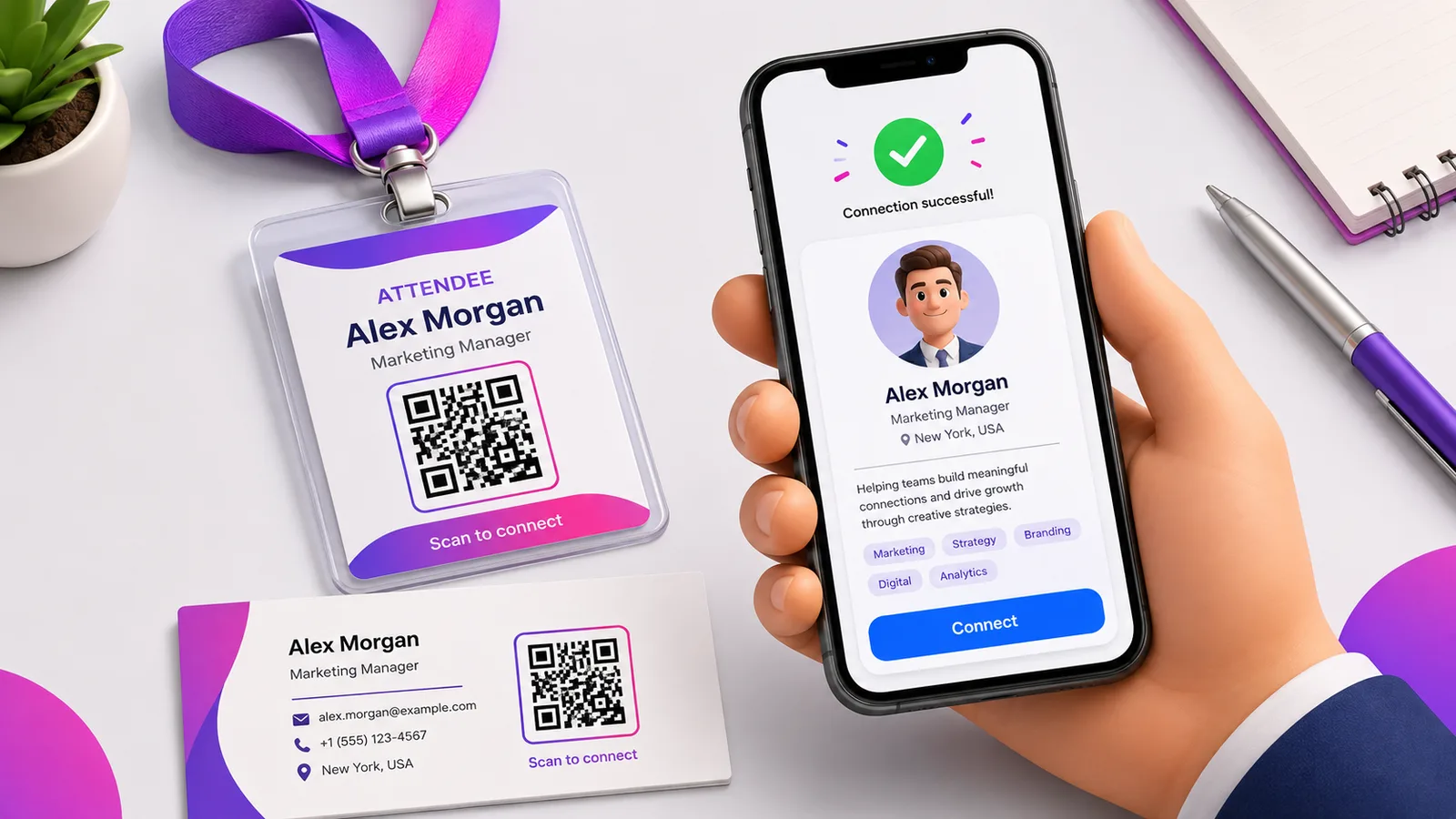
É esta a parte que a maioria dos guias salta. Um código do LinkedIn manda alguém para um perfil, onde ligar-se exige que essa pessoa tenha sessão iniciada e se lembre de agir. Numa conferência, essa intenção dura mais ou menos o tempo do caminho de volta ao lugar.
Um código de vCard comporta-se de outra maneira: a leitura produz um cartão de contacto que o telemóvel propõe guardar de imediato — nome, número, e-mail e o seu URL do LinkedIn lá dentro. Nada depende de uma sessão, de uma aplicação, ou de a pessoa voltar ao assunto mais tarde. Se vai imprimir um código num cartão de visita, é normalmente esse que se imprime.
A exceção é quando ser encontrado no LinkedIn é o objetivo — um diapositivo de orador, um stand virado para recrutamento, uma palestra em que quer seguidores e não contactos. Aí a ligação de perfil é a correta.
Este é um dos poucos casos em que o estático serve
A maior parte dos conselhos empurra códigos dinâmicos para tudo. O URL de um perfil do LinkedIn é uma exceção genuína: pertence-lhe, sobrevive a mudanças de emprego, e não expira quando uma campanha expira. Um código estático a apontar para ele continuará a funcionar daqui a dez anos sem ninguém pagar nada.
Prefira um código dinâmico quando quiser os números — quantas pessoas, em qual de quatro eventos, leram mesmo — ou quando puder vir a reapontar o cartão para um portefólio ou para uma ligação de marcações. Ambas as razões são razoáveis aqui. O que não é razoável é um código dinâmico num cartão que vai andar consigo durante anos, de um fornecedor cuja política de encerramento não verificou. Um código morto num cartão de visita é pior do que não ter código.
Onde ganha o seu lugar, e onde não ganha
Funciona num cartão, num crachá, na parede de um stand e no último diapositivo de uma palestra — todas situações em que alguém está a olhar para uma coisa física e tem um telemóvel na mão.
Não funciona numa assinatura de e-mail, e este é o mau uso mais comum. Quem lê já está num aparelho. Pedir-lhe que aponte um segundo telemóvel ao seu próprio ecrã para chegar a uma ligação que podia ter sido tocável é pior experiência em todos os casos. Ponha o URL na assinatura como ligação.
Perguntas frequentes
Uma câmara normal consegue ler o código QR incorporado do LinkedIn?
Consegue. É um código QR normalizado que codifica uma ligação para o seu perfil, por isso qualquer câmara de telemóvel o lê e propõe abrir a página. A limitação não é a leitura — é não o poder personalizar, medir nem reapontar.
Como obtenho um URL de perfil do LinkedIn limpo?
No seu perfil, abra Editar perfil público e URL e defina um endereço personalizado. O que vem por omissão inclui um sufixo alfanumérico aleatório; retirá-lo encurta a ligação, torna o código menos denso e dá-lhe algo que consegue dizer em voz alta.
O meu cartão de visita deve ligar ao LinkedIn ou a um cartão de contacto?
A um cartão de contacto, na maioria dos casos. Um vCard guarda-se diretamente no telemóvel de quem o recebe, sem início de sessão e sem passo de seguimento, ao passo que uma leitura do LinkedIn exige que essa pessoa tenha sessão iniciada e envie mesmo o pedido. Ligue ao LinkedIn quando o objetivo for ser seguido publicamente e não ser contactado.
Um código QR do LinkedIn deve ser estático ou dinâmico?
O estático é defensável aqui, o que é invulgar. O URL do seu perfil é estável e dura mais do que as mudanças de emprego, por isso um código estático continua a funcionar indefinidamente sem depender de serviço nenhum. Escolha dinâmico se quiser contagens de leituras, ou se puder mais tarde reapontar o mesmo cartão impresso para um portefólio.
Posso mudar depois para onde ele aponta?
Só se o tiver feito dinâmico. Um código estático tem o endereço cozido no padrão e a única edição possível é uma reimpressão. Crie um grátis se quiser a opção de mudar o destino sem reimprimir os cartões.
A equipa Enqre·Publicado a 11/08/2026·Atualizado 19/09/2026